Monitoring
Proxmox & PBS Control
by TeaTime
Overview
Proxmox & PBS Control
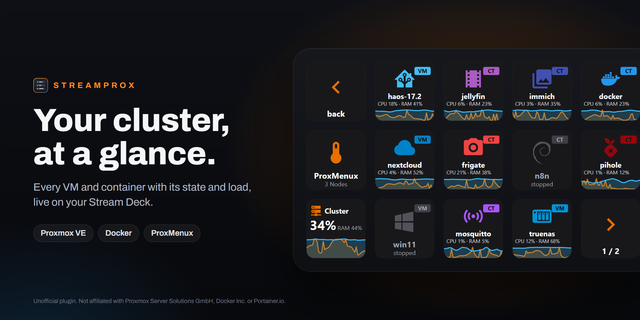
Your Proxmox estate, one press away. Live keys for Proxmox VE nodes, VMs and containers, Proxmox Backup Server datastores and Proxmox Datacenter Manager, pages that drill down, and power and maintenance actions that only run after a 2-second hold.
Live keys
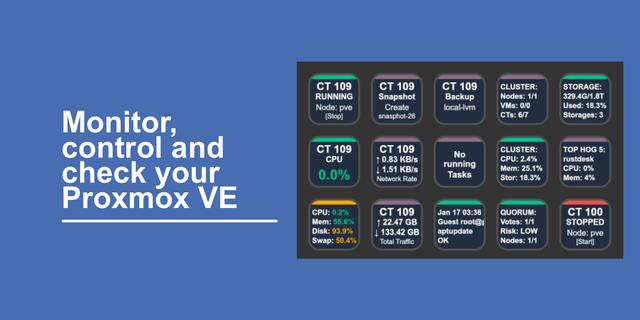
Node: CPU and RAM bars, uptime and memory in use. On a Stream Deck + it is a dial: rotate for CPU or RAM, push for the web UI.
Guest (VM / CT): ID, name, status, and CPU and RAM while running.
Datacenter (PDM): remotes, nodes online, CPU and RAM across every node, and guests running. It turns red when a remote is unreachable.
PBS Server: CPU, RAM, uptime and running tasks.
PBS Datastore: used and free space, newest backup, garbage-collection state, and backup group and snapshot counts.
Pages
Datacenter: every node on every remote, labelled with its remote.
Node: its VMs and containers, sorted by ID, with Back and paging.
Guest: CPU, RAM, network and disk graphs for the last hour, uptime, resources, newest backup, snapshots, web UI, and Start, Reboot, Shut down and Stop.
Backup Server: datastores, then every backup group newest first, coloured by the age of its last backup. Press a datastore to see only its groups.
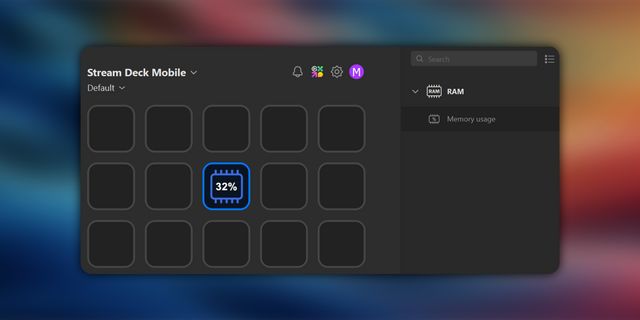
Layouts are included for Stream Deck, Mini, XL, Stream Deck +, Neo and Stream Deck Mobile.
Nothing happens by accident
Power, garbage collection and verification only run after a 2-second hold. A short press tells you what a hold would do.
Actions that do not apply, such as Start on a running guest, are refused.
Results and errors show on the key.
Connections and security
Up to three connections: Proxmox VE servers or clusters, Backup Servers, or a Datacenter Manager.
Sign in with an API token, never a password, with only the rights you want the deck to have.
Self-signed certificates can be accepted per connection.
The token secret stays on your computer and is only sent to its own server.
Made for homelabs
Built for homelab and personal use, not for production systems, and provided as is, without warranty. On servers that matter, give its token read-only rights.
Requirements
Proxmox VE 7+, Proxmox Backup Server 2+ and / or Proxmox Datacenter Manager 1.0+, reachable from the Stream Deck computer, and an API token (the setup guide gives the roles)
Windows 10 or 11, or macOS 12+ (should work, not yet tested on a Mac), with Stream Deck 7.1+
Through a Datacenter Manager, guests can be started, shut down and stopped but not rebooted, and node power is not available.
Unofficial plugin. Not affiliated with or endorsed by Proxmox Server Solutions GmbH.
Proxmox & PBS Control 2.2.2
Layouts for the CORSAIR Galleon 100 SD, and dials that use the whole screen.
On a Galleon, pressing a node, a guest, a Datacenter Manager or a Backup Server key now opens its page, laid out for the Galleon's 12 keys. Hold a dial about 3 seconds to switch layers; every dial action also works with a press.
Dial screens, on the Galleon and the Stream Deck +, now fill the screen with a name, two bars and a status line.
Every page fills all four dials: a node's load, guests, storage and busiest guests; a Backup Server's load, datastores, backups and tasks; a Datacenter Manager's load, guests, remotes and busiest nodes; a guest's CPU and RAM, network, disk and node.
On your own pages, pick what a Node, PBS Server or Datacenter dial shows in its settings.
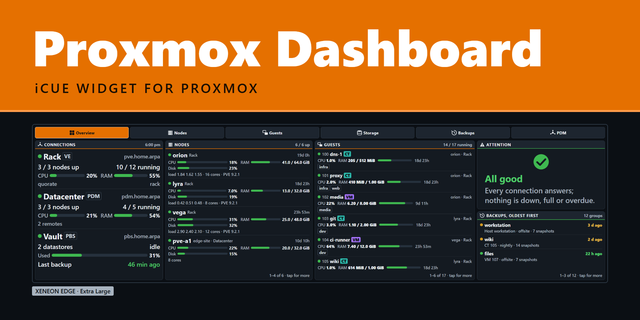
Feeds the Proxmox Dashboard widget on a CORSAIR XENEON EDGE: on Windows the plugin writes host names and figures (never a token or secret) to one file in AppData. Turn it off with Feed the XENEON EDGE widget, under Connections.
Version 2.2.2
Oct 13, 2026
Details
Type
Monitoring
Smart Home
Utilities
OS
Mac
Windows
Compatibility
Stream Deck 7.1 or later
Size
247.31 KB
Version
2.2.2
Language
English
Support
Neo Infobar support
No
Dial support
Yes
Profiles
Yes
Additional links
You might also like