Monitoring
PTZ HTTP Control
by MK Plugins
Overview
Sends customizable HTTP GET requests on key down and key up. This makes it easy to configure PTZ camera control via HTTP access to a CGI‑API, where pressing the key starts the movement and releasing it sends a stop command. Each key requires a manually entered HTTP command. This gives the plugin great flexibility and enables simple yet precise camera control.
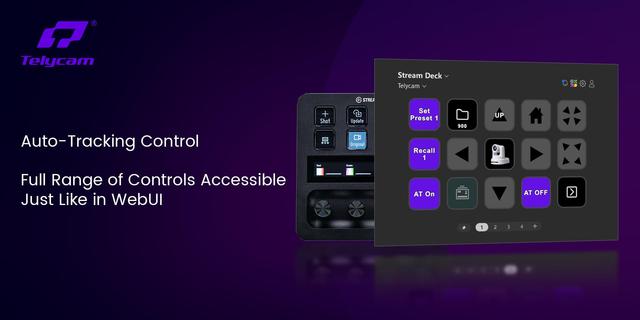
PTZ HTTP Control is a Stream Deck plugin designed for intuitive control of PTZ cameras that support HTTP‑based CGI APIs. Many PTZ cameras (China-Cams like SMTAV...) require two separate commands for movement: one to start the action and one to stop it. Standard HTTP plugins can only send a single command per key press, making smooth camera operation difficult. PTZ HTTP Control solves this by sending a Start command when the key is pressed and a Stop command when the key is released, enabling fluid and natural PTZ operation similar to professional joystick controllers.
Overview
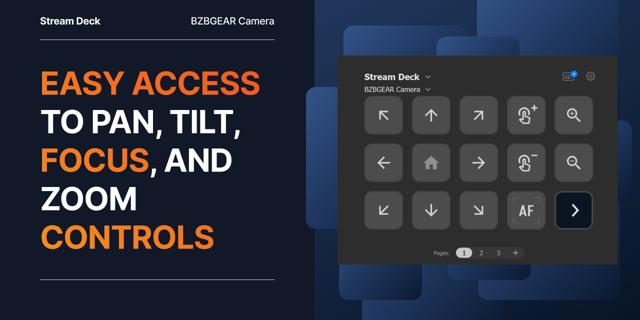
This plugin allows you to assign two independent HTTP GET requests to a single Stream Deck key. When the key is held down, the camera receives a movement or zoom command. When the key is released, the camera receives the corresponding stop command. This makes it possible to control pan, tilt, zoom, and other camera functions with precision and without the need for a dedicated stop button.
The plugin works with any camera that exposes a CGI‑API over HTTP, including many common PTZ models from various manufacturers.
How It Works
Each key provides three fields:
Title – custom label for the key
Key Down URL – HTTP GET command sent when the key is pressed
Key Up URL – HTTP GET command sent when the key is released
Typical CGI‑API commands look like this:
Pan Right: http://<IP>/cgi-bin/ptzctrl.cgi?ptzcmd&right&<PAN_SPEED>&<TILT_SPEED>
Pan Left: http://<IP>/cgi-bin/ptzctrl.cgi?ptzcmd&left&<PAN_SPEED>&<TILT_SPEED>
Tilt Up: http://<IP>/cgi-bin/ptzctrl.cgi?ptzcmd&up&<PAN_SPEED>&<TILT_SPEED>
Tilt Down: http://<IP>/cgi-bin/ptzctrl.cgi?ptzcmd&down&<PAN_SPEED>&<TILT_SPEED>
Stop: http://<IP>/cgi-bin/ptzctrl.cgi?ptzcmd&ptzstop
Zoom In: http://<IP>/cgi-bin/ptzctrl.cgi?ptzcmd&zoomin&<SPEED>
Zoom Out: http://<IP>/cgi-bin/ptzctrl.cgi?ptzcmd&zoomout&<SPEED>
Zoom Stop: http://<IP>/cgi-bin/ptzctrl.cgi?ptzcmd&zoomstop
Preset Call: http://<IP>/cgi-bin/ptzctrl.cgi?ptzcmd&poscall&<PRESETNUMMER>
Preset Save: http://<IP>/cgi-bin/ptzctrl.cgi?ptzcmd&posset&<PRESETNUMMER>
Movement and zoom actions typically require a stop command, while preset actions do not.
Icon Customization
The plugin includes a default placeholder icon. You can replace it by clicking the icon in the Stream Deck software and selecting any symbol from the built‑in icon library. You may also use your own custom icons (PNG, 72×72 px), ideal for presets, directional arrows, or zoom indicators.
Features
Sends separate HTTP commands for key press and key release
Enables smooth and intuitive PTZ control
Supports pan, tilt, zoom, presets, and speed‑controlled movements
Compatible with any camera offering HTTP CGI‑API commands
Fully customizable key labels and icons
Ideal for live production, streaming, conferencing, and remote camera setups
Requirements
Windows 10 or later
macOS 12 or later
Stream Deck software 7.1 or later
SDK version 3 or later
Network access to the camera
Camera with HTTP‑based CGI‑API
DRM protection enabled
Initial release. Tested on Windows 11. Provides simple and flexible PTZ control via HTTP GET commands.
Version 0.1
Sep 1, 2026
Details
Type
Monitoring
Productivity
Smart Home
Utilities
Video
OS
Mac
Windows
Compatibility
Stream Deck 7.1 or later
Size
105.38 KB
Version
0.1
Language
English
Support
Dial support
No
Profiles
No
You might also like