Development
PyCharm Shortcut Profile
by Adx.cool
Overview
he complete PyCharm keyboard shortcut pack for Stream Deck.
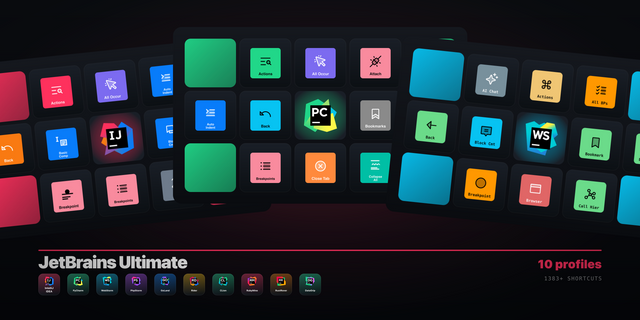
132 shortcuts across 14 categories — organized, scored by importance, and ready to install on Stream Deck Classic / MK.2, XL. Stop memorizing key combos. One tap, one action.
What's included:
• Navigate (14) • Edit (14) • Debug (14) • Code (13) • Search (10) • Refactor (10) • VCS (10) • Windows (10) • Run & Test (9) • Select (8) • Fold (7) • Inspect (6) • Environment (6) • Help (1)
Features: • 132 bindings across fourteen folders, macOS and Windows, a distinct icon on every key • Read from the keymap XML PyCharm ships and JetBrains' predefined-keymap table — parsed, not transcribed • The three Python-plugin actions included: Step Into My Code, Install Package, Execute Selection in Console • Chosen for a Python session: Go to Test, Scratch File, Next/Previous Definition, Quick Evaluate, Attach to Process • A comment drawn as #, a block comment as a triple quote, the REPL as >>> — the language's own marks • Every binding checked against the encoder before it shipped: 261 encode, 0 dead keys
Install: double-click any .streamDeckProfile to import. The App binding is pre-filled to PyCharm — auto-activates on focus. If it didn't pre-fill, set it manually under Stream Deck → Preferences → Profiles → App.
Learn more about PyCharm: https://www.jetbrains.com/pycharm/
v1.0 — PyCharm, read from JetBrains' shipped keymap.
132 shortcuts across fourteen folders: Search, Navigate, Refactor, Code, Edit, Select, Fold, Run & Test, Debug, Inspect, VCS, Windows, Environment, Help.
JetBrains no longer publishes a keymap reference page for PyCharm — it 404s. So the bindings come from two primary sources instead: the keymap XML the IDE ships, and the per-platform predefined-keymap table JetBrains still publishes for the shared platform. Where the two overlap they agree, checked action by action.
The Python plugin's own source was read as well. It declares exactly three actions carrying a default shortcut, and all three are here: Step Into My Code, Install Package, Execute Selection in Python Console. Nothing beyond them was invented — there are no Jupyter cell keys, because the source declares none.
The selection is Python-shaped rather than inherited. Go to Test, Scratch File, Next and Previous Definition, Quick Evaluate, Show Execution Point and Attach to Process are in; Build Project and Rebuild are out, because Python does not compile.
Every binding went through the encoder before the preset was designed: 261 encode, 0 dead, both platforms.
The icons are drawn, not picked. A comment is #, a block comment is a triple quote, the console prompt is >>> — the marks a Python developer reads fastest, where a speech bubble and a terminal were only word matches.
macOS and Windows
Version 1
Sep 4, 2026
Details
Type
Development
Device
Stream Deck MK
Stream Deck XL
OS
macOS
Windows
Size
8.37 MB
Version
1
Language
English
Support
Icons
Yes
Additional links
You might also like