Monitoring

qBittorrent Control

Overview

qBittorrent Control brings torrent monitoring and bandwidth controls to Stream Deck. See transfer speeds, follow download progress, and start or stop torrents from your keys. Manage one qBittorrent server on your local network or through an existing Tailscale connection.

Monitor download and upload speeds, torrent counts, connection status, and available download storage.

Follow a specific torrent or automatically select by progress, speed, or date added. Display progress, time remaining, share ratio, and more.

Adjust upload and download limits, switch between normal and alternative limits, or apply named bandwidth presets.

Review completed downloads in a persistent inbox and acknowledge them individually or all at once.

Open your server's qBittorrent WebUI with a press.

On Stream Deck +, turn dials to adjust bandwidth, press to switch between fine and coarse adjustments, and view limits on the touch strip. Torrent dials cycle through transfer information.

On Stream Deck Neo, display server activity, torrent progress, speed limits, or completion updates on the Infobar. Infobar actions display information only.

Requires qBittorrent 4.6.x or 5.x with WebUI enabled, Stream Deck 7.6 or later, and macOS 14 or Windows 11 or later. Enter your WebUI address and credentials once to connect all actions.

Initial release

Version 1.0.1

Sep 28, 2026

Details

Type

Monitoring

Utilities

OS

Mac

Windows

Compatibility

Stream Deck 7.6 or later

Size

140.58 KB

Version

1.0.1

Language

English

Profiles

No

Dial support

Yes

Neo Infobar support

Yes

You might also like
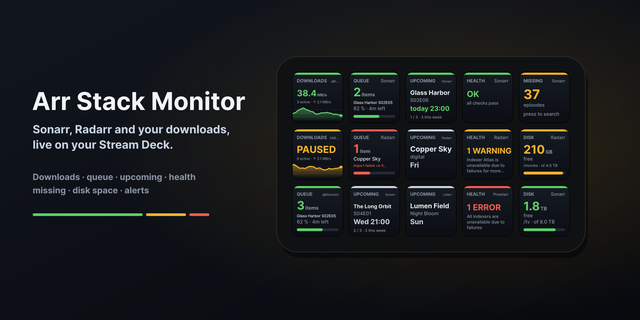
  • Arr Stack Monitor
    Arr Stack Monitor app icon

    Arr Stack Monitor

    by ALLEZfaces

    ∙

    Monitoring

    Your Sonarr, Radarr, Lidarr, Readarr, Prowlarr, Bazarr, qBittorrent and SABnzbd on Stream Deck keys: download speed with...

    $2,690.00

  • Ping
    Ping app icon

    Ping

    You felt the lag. Now you can see it. Ping keeps live latency to your server on your Stream Deck, so the number is there...

    $4.99

  • Netstatik
    Netstatik app icon

    Netstatik

    by Vaz Inc

    ∙

    Monitoring

    Netstatik displays real-time upload and download bandwidth on your Stream Deck key with a live animated bar graph. • Pre...

    $3.50

  • Network Quality
    Network Quality app icon

    Network Quality

    by David Sandilands

    ∙

    Monitoring

    Run Apple's built-in networkQuality speed test right from your Stream Deck. Press a key to measure your internet downloa...

    Free

  • LimitBeacon
    LimitBeacon app icon

    LimitBeacon

    by Milan Jelicanin

    ∙

    Monitoring

    LimitBeacon is a local Codex usage monitor and ChatGPT usage tracker for Stream Deck. Keep current rate limits, daily to...

    Free

  • ComfyUI Workflow Control Suite
    ComfyUI Workflow Control Suite app icon

    ComfyUI Workflow Control Suite

    Run your saved ComfyUI workflows from Stream Deck. Explore 60 functions across ten configurable actions: run and replay ...

    $4.12

  • Bambu Status
    Bambu Status app icon

    Bambu Status

    Monitor up to six Bambu Lab printers directly from one Stream Deck + dial. Rotate the dial to cycle through your configu...

    $4.99

  • Tailscale
    Tailscale app icon

    Tailscale

    by Andy Smith

    ∙

    Utilities

    Take full control of your private network directly from your desk. The Tailscale Connector plugin provides a seamless wa...

    $1.00