Audio
Qlab Shortcut Profile
by Adx.cool
Overview
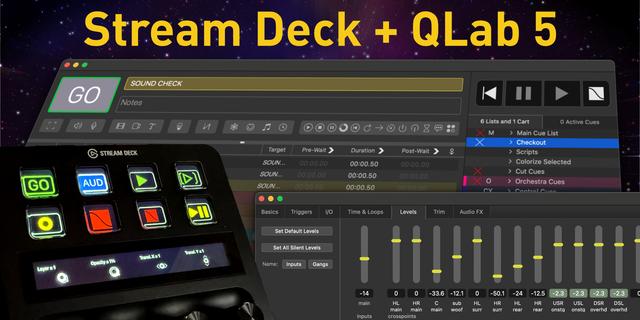
Stream Deck + ready — dial-aware QLab shortcut pack with custom touchstrip layouts.
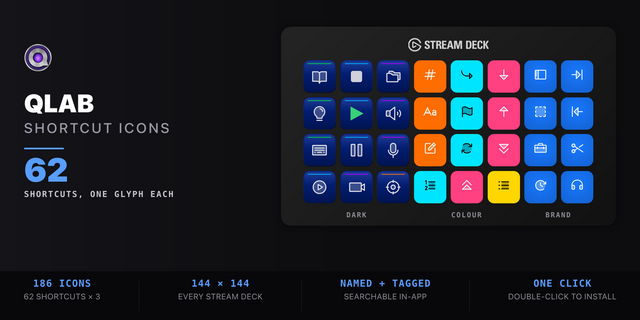
62 shortcuts across 8 categories — organized, scored by importance, and ready to install on Stream Deck Classic / MK.2, XL, +XL. Stop memorizing key combos. One tap, one action.
Dial features (Stream Deck +XL): • 4 dedicated dial layouts on the touchstrip • Rotate to adjust values (with optional acceleration on rapid spin) • Press, long-press, and touch tap each bind to distinct actions • Falls back gracefully to keypad-only on Stream Deck Classic / MK.2, XL
What's included:
• Transport (10) • Create Cue (10) • Playhead (10) • Flags & Tools (8) • Panels (8) • Cue Fields (7) • Time (6) • Help (3)
Features: • Three icon themes: Dark (minimal, accent bars), Plain (vibrant category colors), and Brand (app signature color across all keys) • Folder-based navigation with category pages for quick access • Auto-organized layout — most important shortcuts first
Install: double-click any .streamDeckProfile to import. The App binding is pre-filled to QLab — auto-activates on focus. If it didn't pre-fill, set it manually under Stream Deck → Preferences → Profiles → App.
Learn more about QLab: https://qlab.app/
Independent third-party profile. Not affiliated with, endorsed by, or supported by Figure 53, LLC. QLab is a trademark of Figure 53, LLC. This product contains no Figure 53 software, artwork, or branding — it is a Stream Deck layout built on QLab's publicly documented keyboard shortcuts.
Setup (required for some keys)
macOS only. QLab 5 does not run on Windows.
Keys send keyboard shortcuts to whichever app is frontmost. QLab must be the active app for them to land — and QLab’s single-letter commands (V, S, P, N, Q, O, T, E, D, W, C, F, L, M) are ignored while a text field is being edited.
If a key does nothing, grant the Stream Deck app Accessibility permission under System Settings → Privacy & Security → Accessibility. Without it no keystroke reaches QLab.
The 4 dials require the bundled QLab Dials plugin, included in this download. The keys work without it.
If the dials do nothing, grant Stream Deck permission under System Settings → Privacy & Security → Automation. This is a system permission, not a profile fault.
The Nudge dial only responds inside the Timeline tab of a Timeline Group cue; the Zoom dial works in the waveform and timeline views.
Setup (macOS)
Grant the Stream Deck app Accessibility permission (System Settings → Privacy & Security → Accessibility) — without it, key presses never reach QLab.
Initial release. 62 buttons across 8 folders covering transport and audition, all 10 cue types, inline cue-field editing, flags and renumbering, playhead and selection movement, panels and Edit/Show mode switching, and waveform trimming, plus 2 chord workflows and 4 Stream Deck+ dials.
Every binding is taken from QLab's official keyboard shortcut documentation and was checked against QLab 5.6.3 itself — including one correction the docs get wrong.
Version 1
Aug 10, 2026
Details
Type
Audio
Lighting
Device
Stream Deck MK
Stream Deck XL
Stream Deck + XL
OS
macOS
Compatibility
Stream Deck 6.4 or later
Size
4.73 MB
Version
1
Language
English
Support
Dial support
Yes
Icons
Yes
Additional links
You might also like