Gaming
R6 Siege Tracker
by Shri30
Overview
Keep your Rainbow Six Siege progress visible while you play. R6 Siege Tracker displays your current rank and RP, recent session wins and losses, best operators, season highlights, and an interactive round timer directly on your CORSAIR XENEON EDGE.
WHAT YOU NEED
• A CORSAIR XENEON EDGE running iCUE 5.46 or newer
• An internet connection
• Your Ubisoft username
• A valid R6Data/Arenyze API key
BEGINNER SETUP
1. Install R6 Siege Tracker from Elgato Marketplace.
2. Go to https://r6data.com, create an account, open the Account Dashboard, and generate your API key.
3. Open iCUE and select your XENEON EDGE.
4. Open the dashboard where you want the tracker, then add R6 Siege Tracker to an empty area.
5. Open the widget settings by selecting the widget and choosing its settings/gear control.
6. In Ubisoft Username, enter your Ubisoft display name exactly as it appears on your account.
7. Paste your R6Data/Arenyze API key into Arenyze API Key.
8. Enter your platform:
• uplay for PC
• psn for PlayStation
• xbl for Xbox
9. Close the settings and allow a few seconds for your statistics to load.
HOW TO USE IT
• View your current competitive rank and Rank Points (RP).
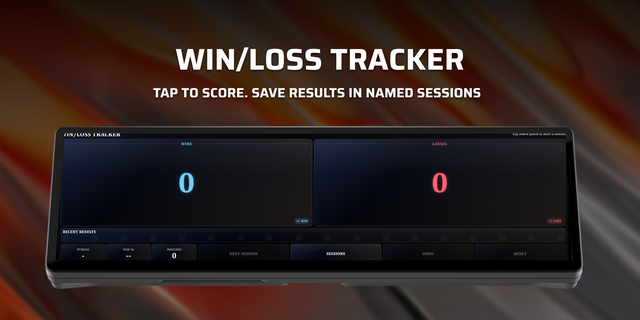
• See your manually tracked session wins, losses, and record.
• Review your best operators and season highlights.
• Tap WIN or LOSS after a match to update the session counter.
• Tap the timer to start a 45-second countdown.
• Use the refresh control if you want to request updated statistics.
TROUBLESHOOTING
• Player not found: Check that the username is spelled exactly and that the correct platform code is entered.
• API key rejected: Re-enter your R6Data/Arenyze API key and make sure it is still valid.
• Service temporarily overloaded: Wait a short time, then tap refresh. The statistics provider may be receiving too many requests.
• No data appears: Confirm that the XENEON EDGE has internet access, then reopen the widget settings and verify all three account fields.
CLOUDFLARE RELAY
No Cloudflare setup is required. Statistics requests pass through the maker's stateless Cloudflare relay to reach R6Data/Arenyze. The relay forwards the API key for each request and does not intentionally log or store it.
This is an unofficial community widget. It is not affiliated with, endorsed by, or sponsored by Ubisoft. Rainbow Six Siege and related marks belong to their respective owners. Statistics are provided through the R6Data/Arenyze API.
Initial release of R6 Siege Tracker.
• View your current competitive rank and Rank Points (RP) • Track session wins and losses • Review top operators and season highlights • Browse operator roles and abilities • Use the interactive 45-second timer • Refresh statistics directly from the widget • Supports CORSAIR XENEON EDGE on Windows
Setup requires a Ubisoft username, platform selection, internet connection, and a valid Arenyze API key.
This is an unofficial community widget and is not affiliated with or endorsed by Ubisoft.
Version 1.0.2
Aug 19, 2026
Details
Type
Gaming
Device
XENEON EDGE
OS
Windows
Size
986.56 KB
Version
1.0.2
Language
English
Support
Dashboard Sizes
Extra large
Large
Medium
Recommended Orientation
Horizontal
Interactive
Yes
You might also like