Gaming
Race Deck for Le Mans Ultimate
by GRAMSHIFT
Overview
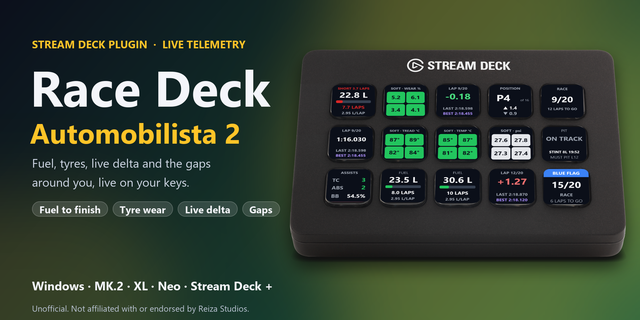
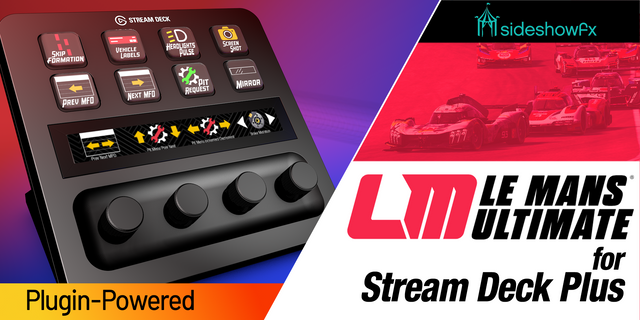
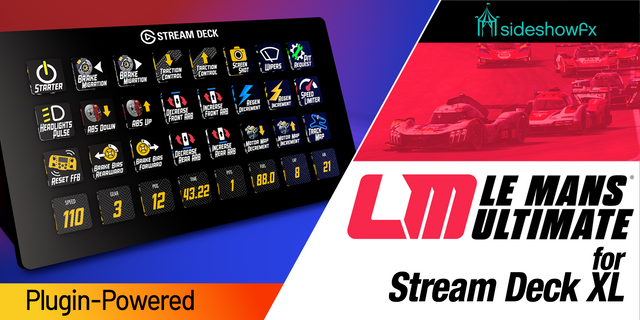
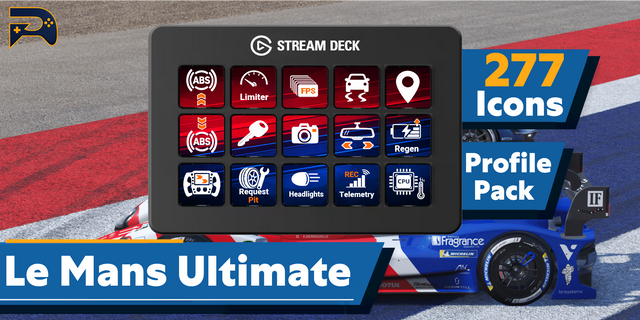
Live Le Mans Ultimate (LMU) telemetry on your Stream Deck: fuel laps left, virtual energy, tyre (tire) wear, temperature and pressure, your position in class with the gaps ahead and behind, and full course yellow, right on your keys while you drive. A press sends the game key you choose, such as the speed limiter (pit limiter) or the pit stop request, so your Stream Deck becomes a sim racing button box with a live endurance dashboard on Windows. Plan every stint of a WEC endurance race in a Hypercar, LMP2 or LMGT3 car at a glance, with fuel and energy per lap measured on your own green-flag laps.
Features
Fuel: litres or US gallons with a bar, laps left and fuel used per lap, averaged over your last clean green-flag laps. In the last stint of a race, SHORT n LAPS in red if it will not reach the flag, counted from the leader
Virtual Energy: energy left in percent, laps left and energy used per lap, measured the same way, SHORT included. Or the hybrid battery: charge and DEPLOY, REGEN or IDLE
Tyres: the four tyres in their corners as colors, with the compound: tread left, temperature (C or F) or pressure (psi, kPa or bar). FLAT and OFF (wheel lost) in red
Position: your place in class with your overall place and class size, and the gaps ahead and behind, in class or overall (in laps once a lap away)
Session: time left or laps of a lap race, and the flag: green, yellow, full course yellow (FCY) with its phase (pits closed, pits open, last lap...), blue, red, checkered and formation
Pit & Stint: pit request, entering, stopped, exiting, pit lane, garage, LIMITER, laps and time of the stint, pit stops
Button box: every key can send a game key you choose (such as F13 or Ctrl+Shift+P), by default only while the game is in front
English and Japanese
Setup
In Le Mans Ultimate (1.2 or later), open Settings > Gameplay, set Enable Plugins to On, then restart the game (the setting works after a restart)
Drag the keys you want onto your Stream Deck. On track, they show your car
To send keys, enter a key in the key's settings and bind the same key in the game's controls, such as the speed limiter or the pit stop request. F13 to F24 avoid clashes
The Status line in each key's settings shows what the key reads and the last key it sent
Privacy
Runs entirely on your PC and only reads the race data the game shares. Nothing is written to the game or sent over the network. No account, no analytics.
Requirements
Windows 10 or later, Stream Deck app 6.9 or later, Le Mans Ultimate 1.2 or later on PC
Limitations
Same Windows PC as your Stream Deck, game 1.2 or later. If an update changes its shared data, keys may show wrong numbers or UNSUPPORTED until a plugin update
NO GAME: the game is closed, or Enable Plugins is off or was turned on without a game restart. NO CAR: menus, replays, spectating or the garage. STALE: the data stopped changing for 3 seconds (pause or loading)
Fuel and energy per lap need one green-flag lap without a pit visit and start again with a new session, track or car. STINT -- until you first leave the pit lane
Another Stream Deck page and back within about 45 seconds loses nothing; after longer, the lap not fully seen is left out and STINT -- shows until your next pit exit
Under the safety car the Session key shows FCY too: the game reports both the same way
A car without virtual energy or a hybrid shows NO VE or NO HYBRID
Sent keys do not reach a game running as administrator: start it normally (the display keys still work)
If a press is not sent (the game was not in front, or anti-cheat hid the name of the program in front), the Status line says why: set Game program, or turn off the active-window check
Ideas for new keys, or a bug? Use the Support link. Every message is read.
Unofficial: not affiliated with or endorsed by Motorsport Games, Studio 397, the ACO or the FIA World Endurance Championship. Le Mans Ultimate is a trademark of its owners.
Game updates: a newer Le Mans Ultimate version no longer shows UNSUPPORTED on every key. The keys keep showing the numbers as long as the game's shared data keeps its layout, and the Status line in the key settings notes the newer version. If an update does change that data, the keys show UNSUPPORTED when the values no longer fit (the race clock and every car's places, laps and gaps are now checked too); if a number looks wrong after an update, please tell us. Versions older than 1.2 show UNSUPPORTED as before.
Version 1.0.2
Oct 21, 2026
Details
Type
Gaming
Utilities
OS
Windows
Compatibility
Stream Deck 6.9 or later
Size
1001.36 KB
Version
1.0.2
Language
English
Japanese
Support
Neo Infobar support
No
Profiles
No
Dial support
No
Additional links
You might also like