Gaming
Race Deck for WRC & DiRT Rally
by GRAMSHIFT
Overview
Live EA SPORTS WRC and DiRT Rally 2.0 telemetry on your Stream Deck: stage time, distance to go, gear, shift lights and brake temperature right on your keys while you drive a rally stage, plus split times and puncture alerts in EA WRC. One press in a key's settings turns on the game's telemetry for you instead of editing its settings files by hand, and any key can send the game key you use for headlights, reset vehicle or change view, so your Stream Deck becomes a sim racing button box with a live rally dashboard on Windows.
Features
Stage: time on the stage, distance to the finish and a progress bar, with FINISH in green once you cross the line
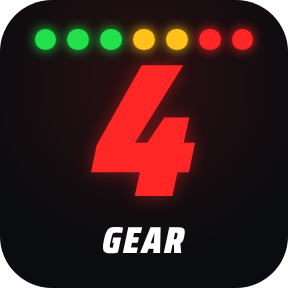
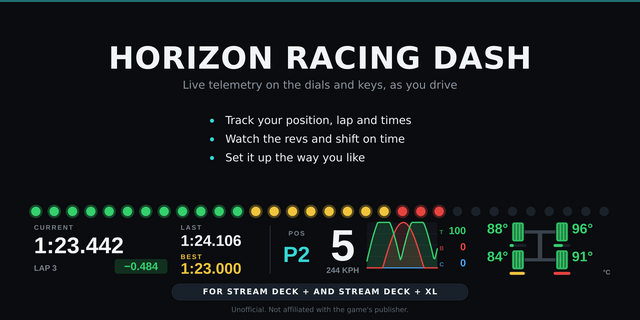
Gear: a big gear number, ten shift lights and your speed. In EA SPORTS WRC the lights follow the game's own shift lights, and all blue means shift now
Brakes: the four brake temperatures as colors laid out like the car, from blue (cold) through green to orange and red. You set the "hot" temperature (650 degrees C by default)
Car & Split (EA SPORTS WRC): OK, PUNCT. or BURST for each tyre, each split against your best run on that stage and car class (green = faster, red = slower), and your finish time, in purple for a new best. Clear a best in the key's settings
Game Control: headlights, reset vehicle, change view, pause or a control you name yourself
One-press setup: finds the game's settings in your Documents folder (OneDrive too), turns the telemetry on (DiRT VR settings too) and keeps a copy of the original file
Button box: every key can send the game key you choose (for example F13 or Ctrl+Shift+E), by default only while the game is the active window
In EA SPORTS WRC it runs alongside another telemetry app: the setup leaves that app's lines as they are
km, km/h and Celsius, or miles, mph and Fahrenheit
English and Japanese
Setup
Start the game once, go past its first screen, then close it
Drag Stage, Gear, Brakes or Car & Split onto a key and, with the game closed, press "Set up EA SPORTS WRC" or "Set up DiRT Rally 2.0" in its settings
Start the game again and drive a stage. The keys show your car as soon as the stage starts
To send keys, assign the same key in the game's controls. Keys such as F13 to F24 avoid clashes
After an EA SPORTS WRC update, if the keys show NO DATA, press the set-up button again
To undo, put back the saved copy (its name ends in .bak). The Support page lists the lines for setting it up by hand (Car & Split needs the button)
Privacy
Runs entirely on your PC and only receives the game's telemetry. Nothing is sent over the network.
Requirements
Windows 10 or later, Stream Deck app 6.9 or later, EA SPORTS WRC or DiRT Rally 2.0 on PC (EA app or Steam)
Limitations
PC versions only, not PlayStation or Xbox
Car & Split needs EA SPORTS WRC: DiRT Rally 2.0 sends no tyre states or splits. It also sends no shift point, so there the shift lights run from 75 to 96 percent of maximum RPM
DiRT Rally 2.0 sends to one port only: if another app uses it, the set-up button shows that app's port, so run one app at a time
The games send telemetry only while you drive, so the keys show NO DATA in menus, pauses and between stages
A run joined part-way through a stage shows times only and is not saved as a best
In DiRT Rally 2.0 rallycross the Stage key shows the current lap
If a game update changes the telemetry, the keys show UNSUPPORTED instead of wrong numbers
If another program uses the port, the keys show PORT BUSY: close it or choose another port
Sent keys do not reach a game running as administrator, and anti-cheat software may ignore them or hide the game's name (then turn off the active-window check). The display keys are not affected
Ideas for new keys, or a bug? Use the Support link. Every message is read.
Unofficial: not affiliated with or endorsed by EA, Codemasters, the FIA or WRC Promoter. EA SPORTS, WRC and DiRT are trademarks of their respective owners.
First release for EA SPORTS WRC and DiRT Rally 2.0 on PC: Stage (time, distance to go, progress), Gear (gear, shift lights, speed), Brakes (four brake temperatures), Car & Split (EA SPORTS WRC: punctures, splits against your best run, finish time) and Game Control (headlights, reset, view, pause or your own). One-press game setup from the key settings. Each key can send a game key on a press, by default only while the game is the active window. km/°C or mi/°F. English and Japanese. Unofficial: not affiliated with EA, Codemasters, the FIA or WRC Promoter.
Version 1
Oct 16, 2026
Details
Type
Gaming
Utilities
OS
Windows
Compatibility
Stream Deck 6.9 or later
Size
872.22 KB
Version
1
Language
English
Japanese
Support
Neo Infobar support
No
Profiles
No
Dial support
No
Additional links
You might also like