Monitoring
RAM Studio
Overview
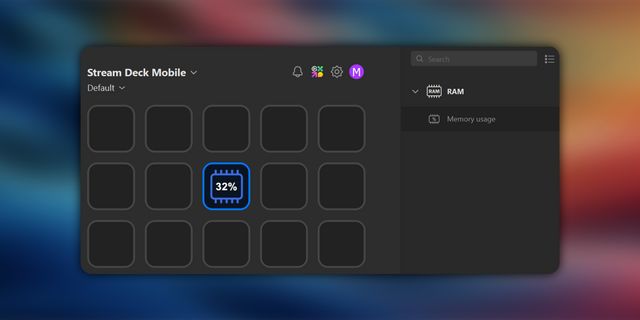
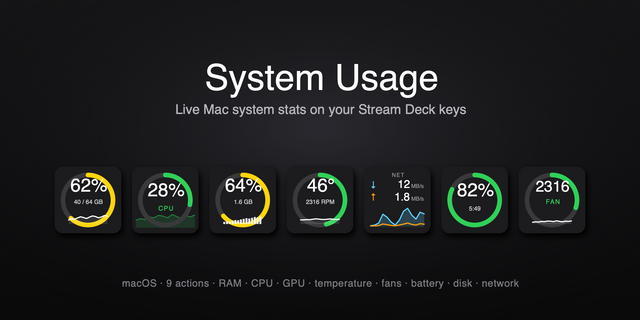
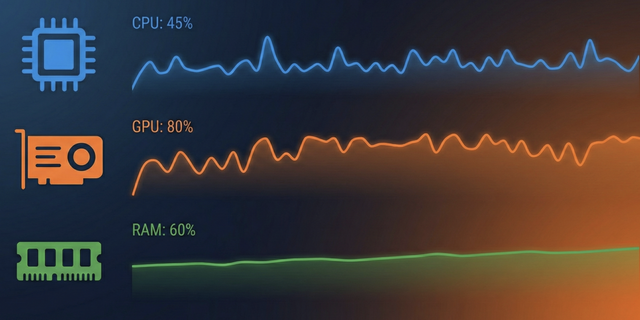
Transform your Stream Deck into a premium real-time memory dashboard! 🚀
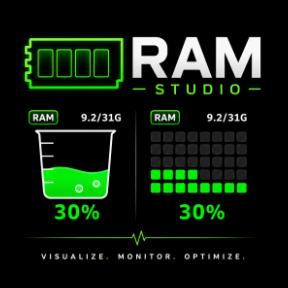
Stop guessing your system's health. RAM Studio brings professional, high-fidelity memory monitoring with stunning animations (Liquid, Block, Graph, Ring, Chip, Neon, and RAM Dial) and zero performance impact. Download now to elevate your setup!
🔥 What's New in v1.0.5.0
* Waterfall RAM (New!): A cinematic water-themed RAM monitor featuring cascading droplets, rising water levels, submerged rocks (Mongdol), splash particles, wave animations, and atmospheric mist — all dynamically driven by your real-time memory usage.
* RAM Dial (Stream Deck+ Support): A premium wide dynamic theme action for Stream Deck+ dials. Rotate, touch, and push to seamlessly control and monitor memory stats.
* Spinach green RAM Chip (Dial Theme): An ultra-detailed classic RAM module visual for the Dial action, featuring gold fingers, a key notch, copper traces, and 8 individually pulsing memory chips that light up in spinach green as RAM usage increases.
* Configurable HUD Display: Choose between Bottom (default) and Middle positioning for the percentage readout, with a toggleable GB usage overlay. All key actions share a unified Property Inspector for streamlined configuration.
* Interactive Theme Ordering: Drag and drop cards in the Property Inspector to easily customize your dial's active theme list and rotation sequence.
✨ Visual Monitoring Modes
Experience your system data in seven distinct, professional styles:
📟 RAM Dial (Stream Deck+ Exclusive)
Monitor your system stats with widescreen dynamic visuals on the LCD screen, controlled interactively by the physical encoder knob.
💡 Neon View
Pulsing, high-fidelity cyberpunk style neon orb monitor that shifts color dynamically according to memory load.
💧 Liquid View
Watch your memory fill up like liquid with smooth wave animations.
🧩 Block View
Track usage with a clean grid-based memory layout.
📈 Graph View
Visualize your memory history with a precision real-time line chart. Identify spikes and trends at a glance.
⭕ Ring View
Monitor your memory with a sleek circular gauge. A minimalist and modern way to track your system's performance.
📟 Chip View
Visualize your memory as a physical IC component with active circuit scanning.
🌍 Global Ready: Automatically localized for English, Korean, Japanese, Chinese, German, French, Spanish, Russian, and Arabic!
How it Works
Simply drag and drop any RAM Studio action onto a key or dial. For Stream Deck+, drop the RAM Dial action onto a dial slot. Rotate the dial or touch the screen to switch themes, and push the dial to force refresh. No extra setup required.
Option 1 (Visual Focus)
Elevate your Stream Deck with RAM Studio v1.0.5.0! 🚀 Introducing the new RAM Dial for Stream Deck+! Pulsing neon orbs, spinach green hardware chips, wave flows, and real-time graphs. Drag, drop, and customize rotation order! 💡📟💧📈 #StreamDeck #RAMStudio #DeskSetup #Productivity
Option 2 (Technical Focus)
Stream Deck+ just got a major upgrade. RAM Studio v1.0.5.0 adds dial/encoder support with customizable theme arrays (Liquid, Graph, Neon, RAM Chip). Featuring zero-overhead SVG renders, and high-readability Pill badges. 📈📟 available now!
Feedback & Support If there's a feature you'd like to see, please feel free to describe it in detail — I'd be happy to add it for you. You can reach me at loxo5432@gmail.com. If you enjoy my free plugins, Mood Loop PRO is a way to support my work.
One-Tap Usage Position Toggle: Key-based RAM actions now toggle the percentage readout position between Bottom and Middle every time you press the key. This applies to Liquid, Block, Graph, Ring, Chip, Neon, and Waterfall RAM actions while keeping RAM Dial behavior unchanged.
Faster On-Key Customization: Switch the HUD layout directly from your Stream Deck without opening the Property Inspector, while the selected position is saved automatically for each key.
Version 1.0.7
Jun 3, 2026
Details
Type
Monitoring
Utilities
OS
Mac
Windows
Compatibility
Stream Deck 6.9 or later
Size
260.8 KB
Version
1.0.7
Language
Chinese
English
French
German
Japanese
Korean
Spanish
Support
Profiles
No
Dial support
Yes
You might also like