Audio
REAPER Live Control
Overview
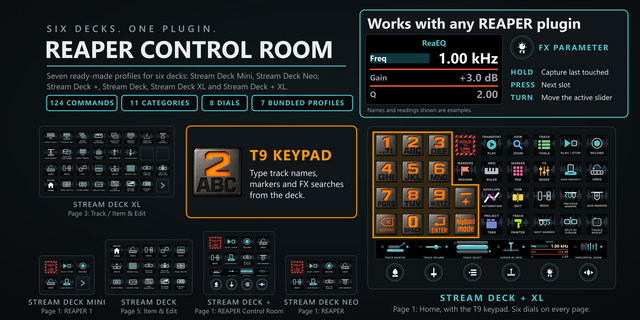
REAPER feedback on each key: transport, position, measures, time signature, BPM, mute, solo and record arm. State updates live; keys clear on disconnect.
SETUP:
In REAPER, enable Web browser interface in Preferences > Control/OSC/web and note its port. In key settings, press Find REAPER, select the install and enter its port. It searches running, saved and common locations; standard and portable installs work. Browse for a folder, app or reaper.ini. One shared connection survives restarts. The helper supplies BPM and auto-starts (REAPER 6.80+); SWS supplies full Main/MIDI lists.
KEYS:
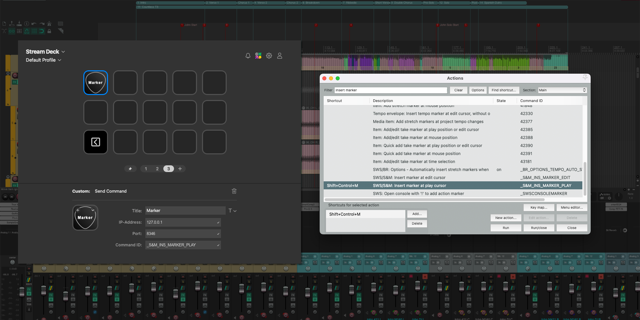
Actions: Search by name, Command ID or shortcut; add custom actions and scripts from anywhere.
Transport: Play/stop, play/pause, record, repeat, metronome, start/end and nudge.
Display: Position, measures/beats and time signature, or cursor BPM; tap BPM to set tempo.
Mixer: Mute, solo, record arm, selection, pan and fixed/selected-track volume; 0.1 to 3 dB steps, hold to repeat, optional fader/dB view.
Bank: Browse eight tracks at a time; master is track 0.
Effects: Search 16 included Cockos effects, installed VST/VST3 plugins and saved FX chains. Insert on selected tracks; existing effects remain. REAPER Undo reverts insertion. Master, input and take FX are excluded.
ICONS:
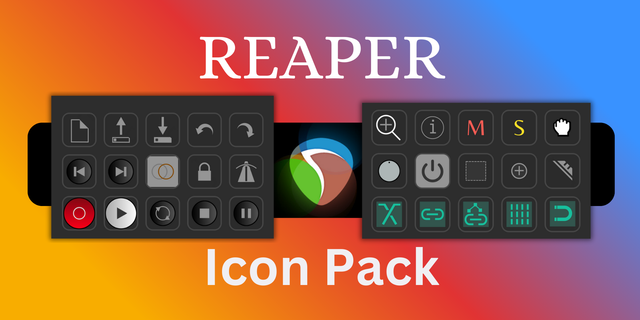
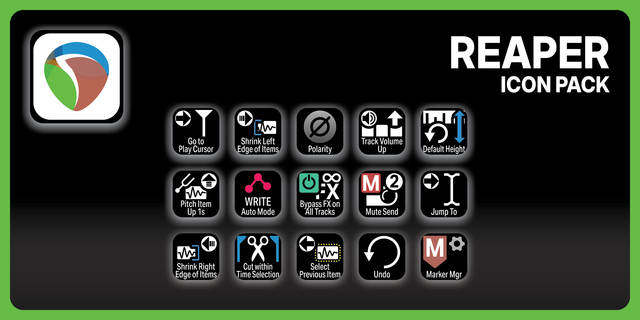
Use built-in, REAPER toolbar/track or PNG icons. Set active/inactive icons, title, text/icon size and active colour. Requirements: REAPER, Stream Deck 6.9+, Windows 10+ or macOS 13+. English UI; no dial controls.
Version 1.0.3
- Fixed automatic REAPER helper startup on Windows. On some systems it could hide the REAPER main window or open a second REAPER copy as soon as the plugin connected.
- Automatic helper startup now runs once per REAPER connection instead of retrying.
- Added a setting to turn off automatic helper startup and load the helper manually in REAPER.
- Requires REAPER 6.80 or later and Stream Deck 6.9 or later.
Version 1.0.3
Oct 7, 2026
You might also like