Monitoring
Reminders
Overview
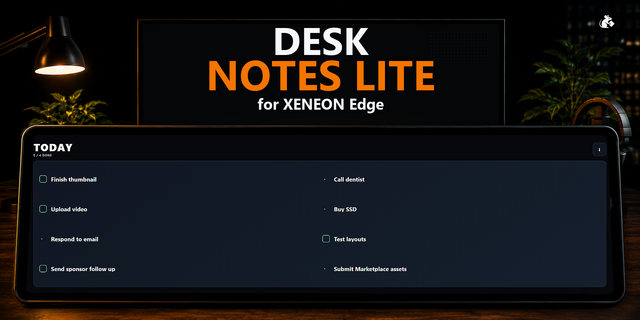
Keep everyday tasks and routines in view with Reminders, an interactive XENEON EDGE widget that turns your touchscreen into a customizable to-do list. Create reminders, organize repeating tasks, and receive on-screen alerts when it’s time to take action.
What’s Included
Create reminders with a title, optional notes, and a website link. Add a date and time when needed, or leave them blank for a simple to-do item.
Choose Never, Daily, Weekly, Biweekly, Monthly, or Yearly repetition. Custom schedules support hourly, daily, weekly, monthly, and yearly intervals.
Tap a reminder’s completion circle to mark it done. Repeating reminders track each occurrence separately, so completing today’s task leaves future occurrences ready to go.
Timed reminders display a large, tappable alert with a short chime when audio is enabled. Tap to dismiss the alert without marking the reminder complete.
Browse days using the navigation arrows or jump to a specific date with the year, month, and day picker. The widget automatically returns to the new day at midnight.
Organization
Open the filter controls to narrow your list by frequency or completion status. Sort timed reminders by Soonest first or Latest first, with untimed tasks placed last.
Customization
Choose up to four reminder columns and Small, Medium, or Large tiles. The layout adapts to the available space, reducing columns when needed to keep reminders readable.
Customize main text, notes text, and interface accent colors using a color wheel, brightness slider, or hex value. Set individual frequency colors to distinguish repeating schedules at a glance.
Adjust background opacity through iCUE for a translucent dark appearance.
Layout and color preferences save automatically for each widget instance.
Disclaimer
Reminders is independently developed by Respawn Icons.
Version 1.0 - Added support for XENEON EDGE.
Version 1
Sep 15, 2026
Details
Type
Monitoring
Device
XENEON EDGE
OS
Windows
Size
499.87 KB
Version
1
Language
English
Support
Dashboard Sizes
Extra large
Large
Medium
Small
Recommended Orientation
Horizontal
Interactive
Yes
You might also like