Smart Home
Remote for Roku Pro
by Dead Syntax
Overview
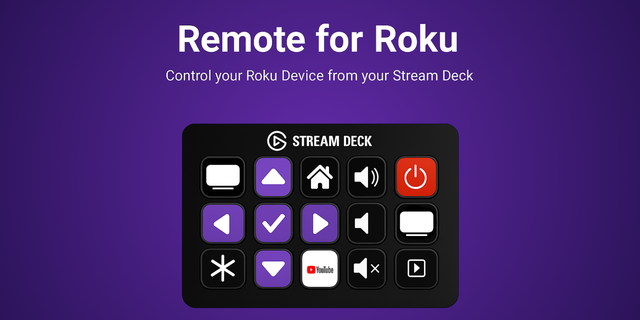
Control all of your Roku devices from one Stream Deck
Remote for Roku Pro is built for setups with multiple Rokus, letting you assign actions to any number of devices and control each one independently. Whether you have a Roku TV, multiple streaming boxes, or different rooms to manage, everything is just a key press or dial turn away.
The Pro version adds seamless device setup, advanced controls, encoder dial support, and deeper customization, making it ideal for fast, repeatable Stream Deck workflows.
What’s Included:
Seamless Setup (For best results, make sure “Control by mobile apps” is enabled on your Roku device)
Automatically finds Roku devices on your local network
No manual IP setup required
Multi-Device Control
Control as many Roku devices as you want
Assign each key or dial to a specific Roku
Ideal for multi-room and multi-TV setups
Full Navigation
D-pad navigation with OK / Select
Back, Home, Instant Replay, and Info actions
Playback Controls
Play / Pause
Rewind and Fast Forward
Volume Controls
Availability depends on the Roku device and TV model
Volume Up and Down
Mute
Search and Keyboard Tools
Full keyboard and search input with fast text entry
Text is sent directly to your Roku for searches and fields
Backspace support
Input Controls
Requires a Roku TV
Switch to HDMI inputs or TV source
App Launching
Launch any installed Roku app with a single key
System Utilities
Power availability depends on the Roku device
Power control when supported
Options and Info
Find Remote support for compatible Roku remotes
Volume Dial
Availability depends on the Roku device and Stream Deck +
Rotate to adjust volume
Press or touch to mute or unmute
Media Control Dial
Availability depends on Stream Deck +
Rotate to scrub or seek through media
Press or touch to play or pause
Customization and Device Control
Choose which Roku device each action controls
Customize icon colour and background colour
Match your Stream Deck layout and theme
Disclaimer
This plugin is not affiliated with, endorsed by, or sponsored by Roku. Roku is a trademark of Roku, Inc.
Functionality relies on Roku’s external control capabilities. Some or all features may stop working if Roku changes or removes third-party control support.
For requirements, setup, and step-by-step instructions please visit:
https://deadsyntax.com/instructions/roku-pro
Added Appearance Studio to every key and dial action, with live previews, six built-in themes, reusable custom presets, and per-control icon and background colors.
Existing per-action icon and background colors are preserved, including legacy icon color settings.
Fixed the Playback Controls action changing the Instant Replay icon back to the Play/Pause icon.
Fixed the Media Control dial starting its playback timer when no media was playing.
Version 1.5
Jul 6, 2026
Details
Type
Smart Home
OS
Mac
Windows
Compatibility
Stream Deck 6.9 or later
Size
1.39 MB
Version
1.5
Language
English
Support
Profiles
No
Dial support
Yes
You might also like