Audio
RetroAmp
by Nerd Powered
Overview
RetroAmp
Bring the classic desktop music player to your CORSAIR XENEON EDGE. RetroAmp puts a pixel-perfect player, a working 10-band equalizer, a playlist and a big visualizer on your screen, plays internet radio and your own music, and wears thousands of classic Winamp 2 skins.
Features
Internet radio
All of SomaFM built in, with live now-playing
Search a worldwide directory of thousands of stations right from the widget settings
Or paste any MP3 or AAC stream URL
Your own music
Tap ADD on the playlist to browse the folders on your PC, right on the screen
Add single songs, a whole folder, or a folder with its subfolders
Keep up to 12 saved playlists; song titles come from your MP3 tags
Seek, pause, shuffle and repeat, and pick up where you left off
10-band equalizer
Preamp, ten bands and a live EQ curve
Built-in presets, from Rock to Late Night
Works on radio and your own music
Visualizer
Spectrum bars with falling peaks, or an oscilloscope, driven by the actual audio
A big visualizer window plus the classic mini display in the player
Classic skins
An original built-in RetroAmp skin
Load classic Winamp 2 skins (.wsz) from the Winamp Skin Museum: pick a curated one, search the museum, or paste a skin link
The Eject button cycles through the curated skins
PC Media
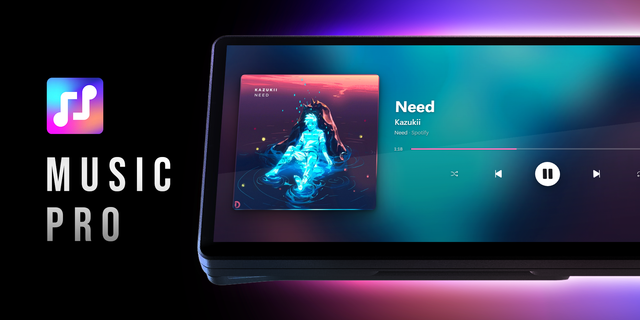
Show and control what Windows is playing (Spotify, browsers and other players)
Fits any slot
Player, Equalizer, Playlist and Visualizer windows rearrange to fill Extra Large, Large or vertical slots
Close any window with its X; bring it back with the EQ, PL or V buttons
Requirements
CORSAIR XENEON EDGE
iCUE 5.46 or newer on Windows
Internet connection for radio, station search and skins (your own music plays offline)
Getting started
Add RetroAmp to your XENEON EDGE; Extra Large shows all four windows side by side.
Press Play to start SomaFM's Groove Salad, or pick a station under Radio and Local Music → Station.
For your own music, tap ADD on the playlist, then FILE, and browse to your music. Set Music Folder in the settings to choose where browsing starts.
Try a skin under Skin, or browse them at skins.webamp.org and paste a link into Skin Link.
Good to know
The equalizer and visualizer work on radio and your own music. For PC Media, iCUE only shares the song name and controls, so the visualizer is animated and the EQ can't change PC audio.
Some radio stations don't allow equalizer access; they still play, with an animated visualizer.
RetroAmp only reads the folders you browse to. Playlists and settings stay on your PC; no account, no tracking.
Like every touch-enabled iCUE widget, RetroAmp receives the touches on it, so iCUE's swipe-to-change-page gesture doesn't pass through it.
Credits
Classic skin support builds on Webamp by Jordan Eldredge (webamp.org · github.com/captbaritone/webamp), used under the MIT License.
Skins come from the Winamp Skin Museum (skins.webamp.org) and remain the work of their creators.
Radio by SomaFM (somafm.com, listener-supported) and the community Radio Browser directory (radio-browser.info).
Made by Nerd Powered · nerdpowered.tech
Not affiliated with or endorsed by Winamp, Nullsoft, Llama Group, SomaFM or Radio Browser. Winamp is a trademark of its respective owner. CORSAIR, iCUE, XENEON EDGE and Elgato are trademarks of their respective owners.
RetroAmp 0.3.3: first release. A classic skinnable music player for the CORSAIR XENEON EDGE.
Included:
- Player, 10-band EQ, Playlist and Visualizer windows that fill any slot (Extra Large, Large, vertical)
- Internet radio: SomaFM built in, Radio Browser station search, custom stream URLs
- Local music: in-widget folder browser, up to 12 saved playlists, ID3 titles, seek/shuffle/repeat
- PC Media: now playing and controls via the Media plugin
- Spectrum and oscilloscope visualizer from real audio (Web Audio)
- Original built-in skin; classic .wsz skins from the Winamp Skin Museum (curated, search, link)
Technical:
- dashboard_lcd, interactive: true
- Plugin: Media; module: RetroAmpSearch.mjs (settings search)
- Network: somafm.com, api.somafm.com, ice*.somafm.com, *.api.radio-browser.info, api.webamp.org, r2.webampskins.org, plus stream URLs the user adds
- Local files: reads only folders and files the user browses to (file://); nothing is uploaded
- localStorage: settings, playlists, last skin (cached for offline start)
- Third-party: sprite map from Webamp (MIT), notice in THIRD_PARTY_NOTICES.md
- Tested on XENEON EDGE, iCUE 5.51, Windows 11
Known limitations:
- PC Media has no audio access: EQ inactive, visualizer animated
- Streams without CORS play without EQ, with an animated visualizer
- iCUE page swipes don't pass through the widget (as with any interactive HTML widget)
Version 0.3.3
Oct 1, 2026
You might also like