Gaming
Roblox Friend Status
by Dloper
Overview
Your Roblox friends, right on your Stream Deck.
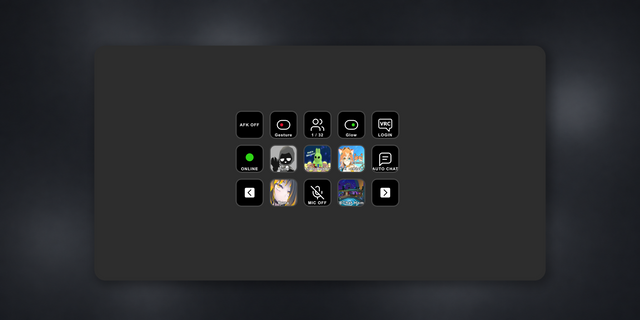
Roblox Friend Status puts a user's avatar and current Roblox presence on a Stream Deck key. Build a row for friends, creators or anyone you follow, then see whether Roblox reports them as Offline, Online, In Game or In Studio without leaving what you are doing.
• Set up by username: enter a Roblox username and the plugin resolves the matching account automatically.
• See every Roblox presence state: distinct indicators show Offline, Online, In Game and In Studio.
• Recognise users instantly: each configured key displays that user's Roblox avatar headshot.
• Show the experience: optionally display the current location or experience name while the user is In Game and Roblox supplies it.
• Open with one press: visit the user's current Roblox experience page when a supported destination is available, or open their profile.
• Add as many users as you need: configure a different username on each key.
• No API key required: setup happens entirely in the Stream Deck property inspector.
The plugin checks visible keys periodically, so changes are not instantaneous. Status, location, avatar availability and experience links depend on the public information returned by Roblox. Privacy settings or temporary Roblox API limits may restrict what can be shown.
Requires macOS 13 or later or Windows 10 or later, Stream Deck 6.9 or later and an internet connection. Works with Stream Deck keypad buttons, including Stream Deck + keys.
Roblox Friend Status is an independent Dloper plugin and is not affiliated with or endorsed by Roblox Corporation.
Version 1.0.0.0 — Initial release
• Resolve a Roblox username to its matching user account automatically.
• Track Offline, Online, In Game and In Studio presence states.
• Display the configured user's avatar with a clear colour-coded status indicator.
• Optionally show the current Roblox location or experience name while a user is In Game.
• Open a supported current experience page or the user's Roblox profile with one press.
• Refresh visible keys every 60 seconds and back off when Roblox rate-limits requests.
• Include a Dloper family property inspector plus setup and troubleshooting guides.
• Prepare nine plugin locale catalogs with English fallbacks for external translation.
Version 1
Sep 23, 2026
You might also like