2D
Sapphire: Broadcast-Ready Scene Collection for OBS
by Starseed
Overview
Currently only supported for 🪟Windows
“Install. Press. Perform.”
Description
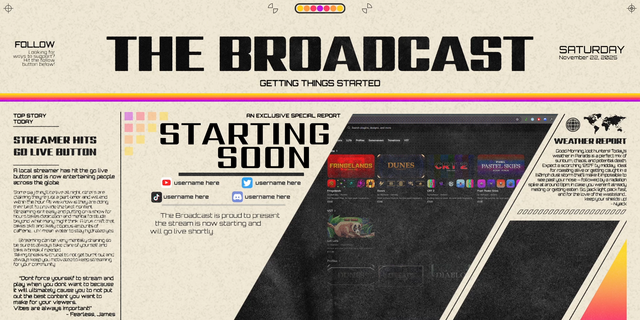
The Sapphire turns OBS into a studio you can run solo. Install with Marketplace Connect 1.2 and you’ll get a full scene collection designed for talk-format shows: Intro, Countdown, Today’s Guests, Discussion (3/2/1), Screenshare + Ticker, Live Chat, and Outro. Every scene uses Move-style transitions and safe merge points, so switching always feels intentional. Load the included Stream Deck profile—or just merge the actions you need—for one-press segments, timers, and reveals. Vertical synchronization keeps a matching 9:16 program framed for Shorts and simulcasts. It’s not a theme. It’s a broadcast system. Who it’s for
Podcasts, Just Chatting creators, video podcasters, SaaS marketers and webinar hosts, educators/trainers, and commentary/news channels. Highlights
Pre-wired scenes: Intro • Countdown • Guests • Discussion 3/2/1 • Screenshare + Ticker • Live Chat • Outro
Move-style transitions: Seamless camera grammar with safe merge points
Stream Deck control: Full profile included + individual actions to merge
Lower thirds & topic cards: Clean, readable nameplates and titles
Vertical sync: Matching 9:16 layouts for simulcast and clips
One-click dependencies: Devices, fonts, and plugins declared in Configure
What’s included
Sapphire Scene Collection for OBS (scenes, sources, filters, hotkeys)
Stream Deck profile(s) and individual actions (install all or merge selectively)
Lower-third/topic card templates
Vertical scene variants
Requirements
OBS Studio (current)
Marketplace Connect 1.2 or later (handles dependencies)
Stream Deck app + device optional but recommended (for actions)
FAQ
Do I need Stream Deck? No—but the experience shines with it.
Can I customize? Yes. Swap art, edit scenes, save variants; the show logic remains.
Does it support vertical? Yes—simultaneous 9:16 via built-in vertical sync. Install with Marketplace Connect → Go live in minutes
❌ Removed Ashmanix Countdown Timer due to its recent update, which has caused plugin installation complexity.
⏲️ Replaced with a simple Countdown Timer script that works instantly and easily out of the box! Enjoy!
Version 1.1
Oct 29, 2025
Details
Style
2D
Theme
Minimalist
Color
Purple
Resolution
1920x1080
Size
381.71 MB
Version
1.1
Support
Includes
Stream Deck Actions
You might also like