Gaming
Screen FX Lite
by Sperandev
Overview
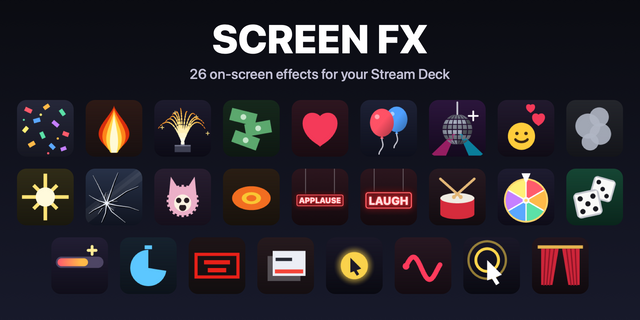
Screen FX Lite puts confetti, hearts, emoji reactions and a spotlight straight over your screen, with no extra app to install and nothing to set up in OBS. Press a key and it happens on top of whatever you are doing: a stream, a Zoom call, a class or a recording.
Five actions:
• Confetti — side cannons, a center burst, rain or fireworks. Six palettes or your own colors, with sound. • Hearts — a rain of hearts, or hearts floating up. • Reactions — emojis floating up from the bottom, like on a live stream. • Spotlight — dims the screen except a light that follows your pointer. • Get all effects — a key that opens the full Screen FX.
Every key keeps its own settings. Show the effect on your main display, on all displays or on the one under the cursor; it never steals the mouse.
Want more? The full Screen FX unlocks the options marked PRO, like a darker spotlight and effects that last while you hold the key, and adds 22 more actions: a prize wheel, dice, a live goal bar, drawing on screen, a disco party, balloons, a drumroll reveal, stage fire, a studio audience, a timer and a clay shooting game.
Works on Mac and Windows, in English or Spanish. Free, with no account, no ads and no time limit.
First release: Confetti and Hearts, plus a key to open the full Screen FX.
Version 1
Sep 29, 2026
Details
Type
Gaming
Social
Streaming
Utilities
OS
Mac
Compatibility
Stream Deck 6.9 or later
Size
501.78 KB
Version
1
Language
English
Spanish
Support
Profiles
No
Neo Infobar support
No
Dial support
No
You might also like