Audio
Sequoia / Samplitude OSC
by Boris FX
Overview
Official Boris FX plugin to control Sequoia, Samplitude from your Stream Deck via OSC. Transport, track faders with live metering, markers, monitoring, and every menu command - with live, bidirectional DAW feedback.
WHAT'S INCLUDED - 8 ACTIONS
• Transport: Play, Stop, Record, Pause, Loop, and Click on keys - every key mirrors the DAW's live transport state, so Play lights up whenever Sequoia plays, no matter where playback was started. On a Stream Deck+ dial: rotate to jog the play cursor, push for Play/Stop.
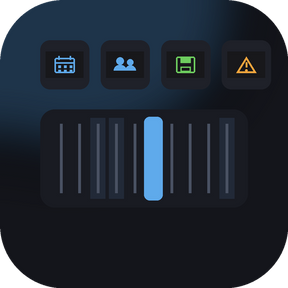
• Fader: ride track and master levels on Stream Deck+ dials using Sequoia's exact fader law (-100 to +12 dB). The touch display shows the fader position with live peak/RMS VU meters underneath. Push the dial to mute - the display turns gray until Sequoia confirms; record-armed tracks show a red slider. Each dial can address a fixed track number or follow the DAW's track selection.
• Meter: a dedicated metering display with peak bar, hold marker, and RMS layer. The color zones match Sequoia's own meters (yellow from -10 dBFS), with latching clip LEDs per channel (reset by tapping the display or automatically on play start) and a non-linear dBFS scale. Choose LED-segment or smooth gradient style.
• Marker: set markers (with or without a name prompt), delete them, and jump to the previous or next marker.
• Menu Action: trigger any Sequoia menu command by its command ID - thousands of commands, organized by category in the property inspector. Known toggles such as track mute, solo, record arm, monitoring, loop, and click automatically mirror the DAW state on the key.
• Crossfade Editor: remote-control the editor and audition cuts with play from cut start, play over cut, and play to cut end.
• Monitor Section: speaker selection, monitor volume on a dial, dim, and talkback.
• Custom OSC: send any OSC message with int, float, or string arguments, chain multiple commands on a single key, and use the {track} placeholder to target the currently selected track. Toggle keys listen to their own address and mirror incoming state changes.
CUSTOMIZATION: 400 original Sequoia UI icons ship with the plugin - pick any of them in the property inspector to style your keys.
HOW IT WORKS: The plugin talks to the OSC interface that is built into Sequoia and Samplitude, over UDP - on the same machine or across your network, so the DAW workstation and the Stream Deck can live on different computers. Communication is fully bidirectional: the plugin listens to everything the DAW broadcasts. Toggle keys never guess - a button only changes state when Sequoia confirms it, so the deck always shows what the DAW is actually doing.
SETUP:
1. Enable the OSC interface in the DAW's program settings (built in and free - no extra software or licenses needed)
2. Open any action's property inspector and check host and ports (defaults: send 8000, listen 9000 - works out of the box for a local DAW)
3. For metering, set sendPeakmeter=1 in the DAW's oscport.ini - the included setup guide covers every step
REQUIREMENTS: Windows 10 or later. Sequoia, Samplitude with the built-in OSC interface enabled. Stream Deck software 6.9 or later. All keys work on every Stream Deck model; the fader and meter touch displays and dials require a Stream Deck+.
What's new in 1.6:
• Mute Ramp — automatable mute (new Fader type): Sequoia cannot automate mute, so this key fades the track volume to -inf over a configurable fade time instead. With automation Touch/Latch/Write active, the fade is recorded as a volume ramp — no manual curve points needed. Press again to ramp back to the previous level. Choose Smooth (audibly a real fade) or 2-point style (start + end only, Sequoia interpolates), works with fixed tracks and the track selection.
• Bundled profile "Sequoia Zoom (Arrange)" for the 15-key Stream Deck: horizontal, vertical and waveform zoom, zoom range, zoom selected tracks, show all, spectral view, previous/next track — contributed by Enrique Silveti, thank you! The profile is optional: it appears in your profile list and never switches to itself automatically.
• Menu Action: switching the language now translates the full command list — categories and commands in English, German, French and Spanish.
• Fixed: the command dropdown no longer grows wider than the window on long command paths (truncated entries show the full path on hover), and the settings panel no longer scrolls sideways.
• Fixed: menu labels no longer show stray shortcut markers before umlauts ("&Öffnen" → "Öffnen").
Version 1.6
Oct 8, 2026
You might also like