Gaming
Session Card
by Raylight
Overview
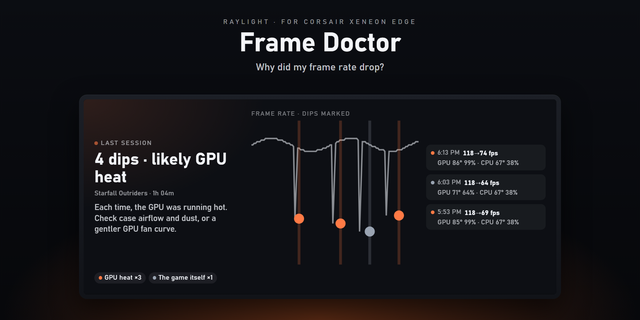
Session Card turns your XENEON EDGE into a scoreboard for your own play. While a game runs, it shows a live timer, your frame rate and a graph that fills in as you play. When you quit, it keeps a clean report of the session: how long you played, your average FPS, your 5% low (the dips you actually feel), and your peak CPU and GPU temperatures.
Tap through your recent sessions and see how much you've played this week. Alt-tabbing out and back doesn't split a session, and launchers and splash screens under two minutes are ignored.
Features
Live session view: timer, FPS now, running average and a live frame-rate graph
End-of-session report: length, average FPS, 5% low FPS, peak CPU and GPU temperature
Your last five sessions and your total play time this week; tap to browse older sessions
CPU and GPU sensors chosen automatically; change them in settings
Works in every Edge slot, horizontal and vertical
No account and no internet connection: your data stays on your PC
Requires Windows, iCUE 5.47 or later and a CORSAIR XENEON EDGE. Uses iCUE's own FPS and sensor data: a game must be one iCUE reports a frame rate for, and temperatures come from the sensors iCUE can read on your PC.
Desktop apps such as Windows Search, browsers and Snipping Tool are no longer mistaken for games. A game now has to show a few seconds of steady frames first.
Session length is now measured from the clock, so it stays accurate even when iCUE updates the widget less often. Alt-tabbing out still doesn't count as play.
If iCUE isn't ready the first time the widget loads, it now reloads itself instead of staying on sample data.
Version 0.1.10
Oct 6, 2026
Details
Type
Gaming
Monitoring
Device
XENEON EDGE
OS
Windows
Size
44.83 KB
Version
0.1.10
Language
English
Support
Dashboard Sizes
Extra large
Large
Medium
Small
Recommended Orientation
Horizontal
Vertical
Interactive
Yes
You might also like