Business
Sevdesk Dashboard
Overview
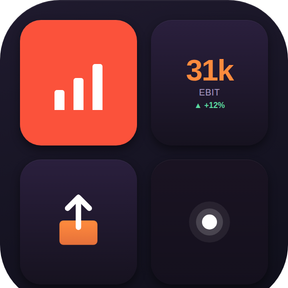
Sevdesk Dashboard turns your Stream Deck into a live cockpit for your Sevdesk bookkeeping. Bank balances, unassigned vouchers, open invoices, overdue items, revenue / expenses / EBIT — all refreshing on a schedule, all one click away.
Eight actions:
- Bank Balance: live € amount per check account, with trend mode and Stream Deck + encoder support.
- Unassigned Vouchers: counter with traffic-light coloring.
- Open Invoices: count, sum and oldest-overdue, cycled with one click.
- Revenue: shows revenue, expenses or EBIT for the current month, quarter or year, with trend showing the running period to date vs. the full previous period (e.g. May-to-date vs. all of April) — see at a glance whether you're already tracking ahead or still catching up. Auto-cycle the period if you want all three at a glance. Cash- or accrual-basis taxation (Ist / Soll) selectable — values match the sevDesk dashboard exactly.
- Overdue & Dunning: counter for overdue invoices.
- Quick Invoice: open Sevdesk's new-invoice form in one click.
- Upload Receipt: file picker → instant upload to your Sevdesk inbox.
- Customer Search: live customer lookup in the Property Inspector.
Plus a silent payment pulse: when an open invoice gets marked paid in Sevdesk, your "Open Invoices" button briefly cheers.
Privacy first: your API token stays local, no telemetry, no third-party servers. Sevdesk data is fetched only between your machine and my.sevdesk.de.
Setup: generate a Sevdesk API token under Settings → User → API token, paste it once into any action's Property Inspector.
Requires Stream Deck 6.9 or newer. Designed for German freelancers, GmbH owners and small agencies.
# 1.0.0 — Initial public release
Turn your Stream Deck into a live cockpit for your sevDesk bookkeeping.
## Highlights
- Eight live actions — bank balance, unassigned vouchers, open invoices, overdue & dunning, revenue / expenses / EBIT, quick invoice, upload receipt, customer search.
- Mark-files upload — select receipts in Windows Explorer, press the Upload Receipt tile, batch them straight into your sevDesk voucher inbox.
- Dashboard-accurate revenue — Revenue / Expenses / EBIT match the sevDesk dashboard exactly. Cash- or accrual-basis (Ist / Soll) selectable per tile, period switchable between month / quarter / year, with trend vs. the previous period and optional auto-cycle.
- Silent payment pulse — when an open invoice gets marked paid in sevDesk, your "Open Invoices" button briefly cheers.
- Privacy first — your API token stays local, no telemetry, no third-party servers. Data flows only between your machine and my.sevdesk.de.
## Setup
1. Generate a sevDesk API token under Settings → User → API token.
2. Drop a Sevdesk Dashboard action onto your Stream Deck and paste the token into its Property Inspector.
3. Pick metric / period / account where applicable — every tile lights up on its own refresh cycle (every 10 min).
## Requirements
- Stream Deck 6.9 or newer
- A sevDesk account with API access
Version 1
May 19, 2026
Details
Type
Business
Finance
Productivity
Utilities
OS
Mac
Windows
Compatibility
Stream Deck 6.9 or later
Size
259.8 KB
Version
1
Language
English
German
Support
Profiles
No
Dial support
Yes
You might also like