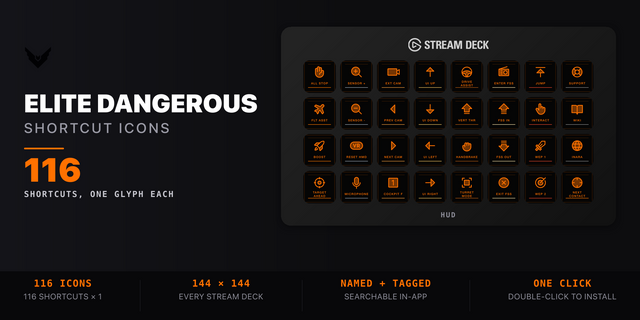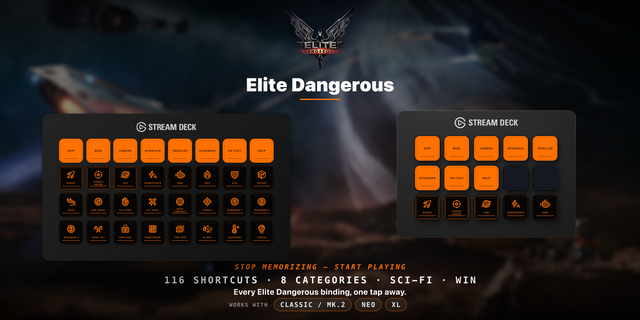
Gaming
Ship Deck for Elite Dangerous
by GRAMSHIFT
Overview
Turn your Stream Deck into a live Elite Dangerous button box whose keys show the real state of your ship: landing gear, hardpoints, cargo scoop, lights, night vision, silent running, flight assist, the FSD, your power pips and fire group. Skip building a profile: it reads the keybinds you already play with, default or Custom, and each key sends the keyboard key from your preset. Rebind in the game and the keys follow within seconds. Plus chaff, heat sink and shield cell keys, fuel, route, legal state, Odyssey suit oxygen and health, and Stream Deck + dials for power and fire groups.
Features
Keys that light up with your ship: landing gear UP or DOWN, hardpoints DEPLOYED, cargo scoop OPEN, lights ON (SRV high beam too), night vision ON, SILENT or OFF (HOT frame when overheating), FA ON or FA OFF, and HUD mode ANALYSIS or COMBAT
Power distribution: SYS, ENG and WEP pips on the key, half pips included. The Power key adds a pip to the part you pick, or resets
Fire group: the selected group as a letter (A, B, C), next or previous
Chaff, heat sink and shield cell keys: the heat sink key blinks while you overheat, the shield cell key turns red when your shields drop
Stream Deck +: turn a dial to pick SYS, ENG or WEP, push to send the key's choice (a pip or Reset), long touch to reset, with all three pips on the strip. A second dial steps through fire groups
FSD key: READY, CHARGING, JUMPING, SUPERCRUISE, OVERDRIVE, SC ASSIST, COOLDOWN and MASS LOCK
Panels and Maps key: a cockpit panel, the galaxy or system map, or FSS, OPEN while on screen
Your own keybinds: HOTAS and keyboard mixed, separate presets for ship, SRV and on foot
Keys follow your keyboard layout (AZERTY, QWERTZ, Japanese and more)
In the SRV and on foot, keys send the SRV or suit control where there is one
Fuel, route (jumps left, next system), legal state with INTERDICTION, DANGER and UNDER ATTACK, and suit oxygen, health and temperature in Odyssey
English and Japanese
Keys say MENU, STALE or NO GAME, never old values
Missing a key you need? Tell us via the Support link: the most requested go into the next version.
Setup
Drag the keys you want onto your Stream Deck
Start Elite Dangerous and load your commander
A key that says NO KEY has no keyboard key in your preset. Add one in the game's Controls; your HOTAS binding can stay
Every key says NO KEY on a new commander? In the game's Controls, change any key and Apply once
The Status line in a key's settings says which key it sends and why a press was not sent
Privacy
Runs on your PC only. Reads the game's ship status and your keybinds, never changes them, sends nothing over the network.
Requirements
Windows 10 or later, Stream Deck app 6.9 or later, Elite Dangerous on PC
Limitations
One press sends one key, by default only while the game is in front (can be turned off). No macros. A fire group dial sends at most 5 presses per turn
Controls set to Hold in the game are not sent: SET TO HOLD
With a map, panel or menu open, only Panels and Maps sends; other keys say MAP OPEN, PANEL OPEN or STATION MENU
In a fighter or taxi, ship-only keys say IN FIGHTER or IN TAXI and send nothing. Fire groups are for your own ship only. In another commander's ship (multicrew), Power and Fire Group say MULTICREW
The game does not report chaff, heat sink or shield cell counts, heat percent, shield strength or hull
On foot the game does not report night vision or the flashlight, so those keys show no state
Special keys (Fn, G-key modifiers) show KEY?: set an unused F-key or numpad key in the key's settings. The keyboard's Power and Sleep keys are never sent
If the game runs as administrator, Windows blocks keys from Stream Deck: start it normally
A bug? Use the Support link.
Unofficial: not affiliated with or endorsed by Frontier Developments. Elite Dangerous is a trademark of Frontier Developments plc.
New keys
Power Distribution: shows your SYS, ENG and WEP pips (half pips too). Pick the part a press adds a pip to, or Reset.
Fire Group: shows the selected fire group as a letter (A, B, C...). A press sends next or previous fire group.
Chaff, Heat Sink and Shield Cell: a press sends your game key. The Heat Sink key blinks while the ship overheats; the Shield Cell key turns red when the shields drop.
Like the other keys, they read the keyboard key from your own keybinds and say NO KEY or SET TO HOLD when there is none to send, on the key and on the Stream Deck + touch strip.
Stream Deck +
Power Distribution on a dial: turn to pick SYS, ENG or WEP, push to send the key's choice (a pip, or Reset), long touch to reset. The touch strip shows all three pips.
Fire Group on a dial: turn clockwise for the next group, back for the previous one (at most 5 presses per turn), push or touch for the key's own choice (next or previous, as set on the key).
Notes
The game does not report how many chaff, heat sinks or shield cells are left, so those keys show no count.
Fire groups are for your own ship; in a fighter, the SRV or on foot the key says so and sends nothing. In another commander's ship (multicrew), Power and Fire Group say MULTICREW and send nothing.
Version 1.1
Nov 2, 2026
Details
Type
Gaming
Utilities
OS
Windows
Compatibility
Stream Deck 6.9 or later
Size
1.08 MB
Version
1.1
Language
English
Japanese
Support
Neo Infobar support
No
Profiles
No
Dial support
Yes
Additional links
You might also like