Utilities
Skycast Weather
by Widgetry
Overview
Your forecast, with the real sky behind it.
Try it live in your browser first: widgetry.shop/skycast-weather runs the real widget, so you can drag through the day before you install.
A forecast is usually a row of numbers. Skycast puts the actual sky behind them. The sun and moon sit where they really are right now. The clouds match the cloud cover outside. When it rains, snows, fogs over or storms where you live, it does on your XENEON EDGE too.
And it's free. No account, no API key.
Drag through the day
Slide a finger along the hourly curve and the sky turns into that hour's weather. Let go and it comes back to now.
What's on screen
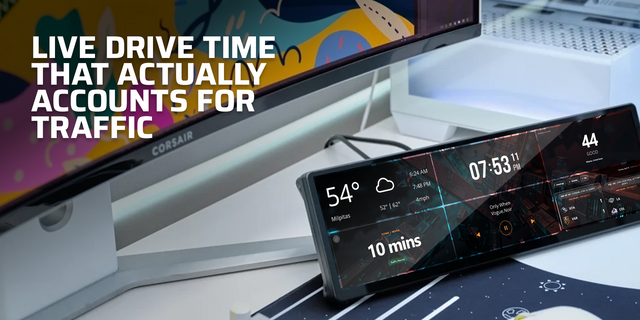
Temperature and conditions, high and low, feels like, wind and humidity
An hourly temperature curve across the full width, with the chance of rain
The next five days underneath
Severe weather alerts
When the National Weather Service issues a warning for your area, a banner goes up and the edges of the screen pulse red. Alerts cover US locations only.
Make it yours
Every slot size, horizontal or vertical. Fahrenheit or Celsius. Wind in mph, km/h, m/s or knots. Your own text and accent colors, or a solid background if you'd rather not have the sky. Type a ZIP code or a city, or leave Location blank and it finds you.
Like watching the sky?
Weather Window, also from Widgetry, turns your XENEON EDGE into a window with your real weather outside it. Rain runs down the glass and snow piles up on the ledge. Also here on the Marketplace: Aquascape, Tide Clock and Broadside.
Your data
Forecasts come from Open-Meteo and alerts from the US National Weather Service. All they get is a latitude and longitude. Auto location asks ipregistry (using the key iCUE already provides) or GeoJS for a rough position. No analytics, and nothing is stored off your PC.
First release. A live sky that follows the real weather, sun and moon, an hourly curve you can drag through, a five day outlook, and NWS severe weather alerts for US locations. Works in every XENEON EDGE slot size, horizontal and vertical.
Version 1
Nov 3, 2026
Details
Type
Utilities
Device
XENEON EDGE
OS
Windows
Size
102.07 KB
Version
1
Language
English
Support
Dashboard Sizes
Extra large
Large
Medium
Small
Recommended Orientation
Horizontal
Vertical
Interactive
Yes
Additional links
You might also like