Productivity
Slide Deck One — MK.2 (Mac)
by panda studio
Overview
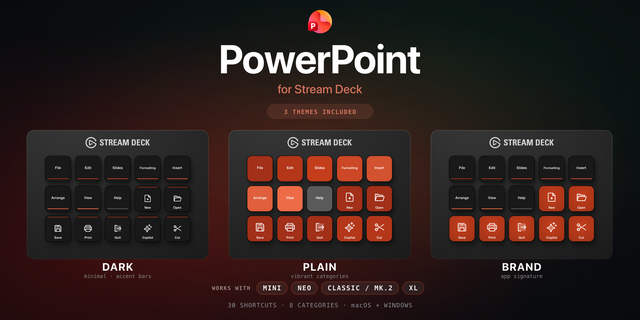
A Stream Deck MK.2 profile for Microsoft PowerPoint for Mac: 54 built-in PowerPoint shortcuts on a Home page and 3 folders. Start the show, add slides and line up objects with one press.
HOME
• Play from start, play from current slide, Presenter View
• New slide, duplicate slide, undo, redo, save
• Normal, Slide Sorter and Notes Page views, zoom to fit + folders Slides, Text, Arrange
SLIDES
• Next / previous slide, move slide up / down, to the start / end
• Outline and Reading views, Slide Master, format background
• New comment, guides, Paste Special, end show
TEXT
• Bold, italic, underline, Font and Paragraph dialogs
• Align left, center, right, justify, change case
• Hyperlink, find, replace, thesaurus
ARRANGE
• Group, ungroup, regroup, duplicate
• Bring to front, send to back, forward / backward one layer, Selection Pane
• Format object, rotate 15° either way, Animation Painter, paste and match style
DETAILS
• PowerPoint for Mac (Microsoft 365) default shortcuts, checked against Microsoft's Mac shortcut list and the menus of PowerPoint 16.110
• Page and arrow keys are sent as real keys, so slide moves work on any Mac keyboard
• macOS only (Mac key codes). An icon on every key. Built and exported in the Stream Deck app. No plugins needed
• For Keynote, see Slide Deck Two
Microsoft and PowerPoint are trademarks of the Microsoft group of companies. Mac is a trademark of Apple Inc. panda studio is not affiliated with or endorsed by Microsoft or Apple.
First release: 54 Microsoft PowerPoint for Mac shortcuts for Stream Deck MK.2 on Mac in a Home page and 3 folders (Slides, Text, Arrange).
Version 1
Oct 5, 2026
Details
Type
Productivity
Device
Stream Deck MK
OS
macOS
Compatibility
Stream Deck 7.1 or later
Size
417.68 KB
Version
1
Support
Icons
Yes
AI Content
Yes
You might also like
-thumbnail-optimized-33d9db42-eedb-45a6-abed-1d49512d3b31.png)
-thumbnail-optimized-1b1acbeb-c866-4313-89ee-cb9be8a0881f.png)
-thumbnail-optimized-73da3f0d-2953-4ce6-88d4-b6f45f7e9626.png)