Utilities
Smart Remote+ for LG TV
Overview
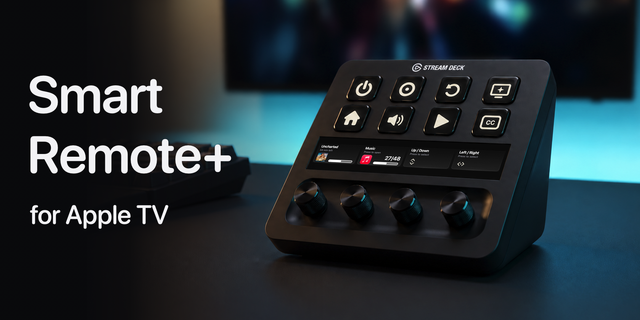
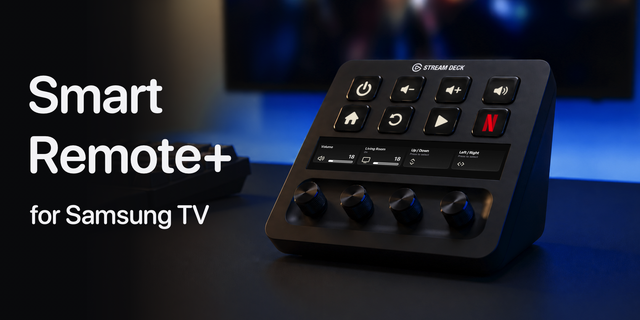
Control your LG TV from your Stream Deck, with keys and, on Stream Deck +, dials that show what your TV is doing. Smart Remote+ talks directly to the TV over your own network, the same way LG's Magic Remote does. Nothing goes through the cloud, no account is needed, and pairing takes about thirty seconds.
Dials for Stream Deck +
- Picture Dial: turn to adjust OLED Light, Contrast, Brightness or Colour, and press to switch between them. The touchscreen shows your TV's real setting and keeps up if you change it from the TV's own menu.
- TV Status Dial: see what's on at a glance, whether that's your input's name and HDMI port or the app, with the volume and a level bar. Turn for volume, press to mute.
- Volume Dial: the live volume, and where the sound is going (TV speakers, HDMI ARC, optical, Bluetooth).
- Navigation Dial: scroll through TV menus. Turn for up/down or left/right, press for OK, tap for Back, hold for Home.
Keys that know what your TV is doing
- Switch Input keys draw themselves from your TV: a controller for your PS5 or Xbox, a monitor for your PC, with the input's name and port underneath.
- Screen Off, Mute and Play / Pause stay in step with the TV, even when you use the TV's own remote.
- Hold Volume Up or Down to keep changing the volume, just like a remote.
- One matching set of key art, sized to fill every key.
Everything you can put on a key
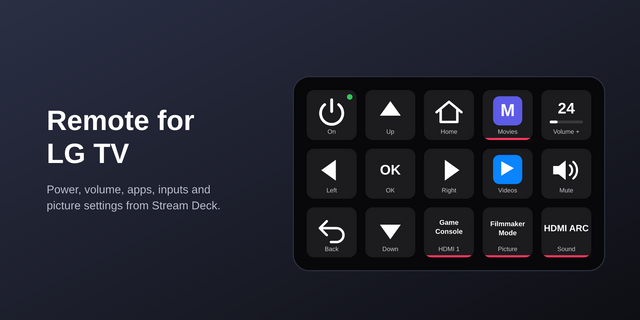
- Power: turns the TV off over the network and wakes it again with Wake-on-LAN, even from standby
- Volume up, down and mute
- Screen Off: blank the panel while your music or programme keeps playing
- Switch Input: jump straight to any HDMI input, with your TV's own labels
- Launch App: open Netflix, Prime Video, Disney+, YouTube or anything else installed, each key wearing that app's artwork
- Play / Pause, plus Up, Down, Left, Right, OK, Back and Home
- Stop Auto-Dimming: stop a 2020 or later LG OLED dimming static content, handy when the TV doubles as a monitor
Set up once, use everywhere. Press Scan in any key's settings, pick your TV, then press Pair and type the PIN the TV shows. No TV remote needed. Pair once and every key and dial can use that TV.
Works with LG webOS TVs from 2014 onwards; your computer and TV need to be on the same network. Picture and dial features need a Stream Deck +. Made by Bouncing Ball, the studio behind the Smart Remote+ apps for iPhone, Android and Windows.
Browse HDMI inputs, picture modes and sound modes with new Stream Deck + dials, then press to apply your selection.
Choose which TV status details appear on the Stream Deck Neo Infobar, including source, volume and screen state.
Switch between two inputs with Input Toggle and choose a separate image for each using Stream Deck's image picker.
Every button's settings now end with Help & common issues, covering power-on, pairing and connection problems, with a link to more help online.
Power troubleshooting is now tucked away at the bottom of the power button settings. Enable it when needed; diagnostic logging and follow-up wake checks are off by default.
Version 1.3
Oct 7, 2026
Details
Type
Utilities
OS
Mac
Windows
Compatibility
Stream Deck 7.6 or later
Size
4.09 MB
Version
1.3
Language
English
Support
Profiles
No
Dial support
Yes
Neo Infobar support
Yes
You might also like