Utilities
Smart Remote+ for Samsung TV
Overview
Control your Samsung TV from your Stream Deck, with keys and, on Stream Deck +, dials. Smart Remote+ talks directly to your TV over your own network, the same way the Smart Remote+ apps do. Nothing goes through the cloud, no account is needed, and there is no PIN: just select Allow on the TV once.
This is the first version of Smart Remote+ for Samsung TV. If you find anything that doesn't work, please contact help at https://www.bouncingball.mobi/lgtvremote/#streamdeck and we'll fix it.
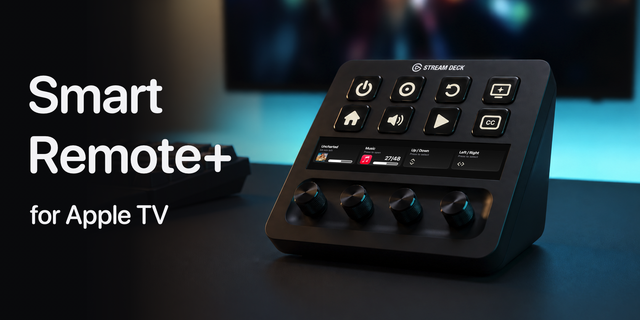
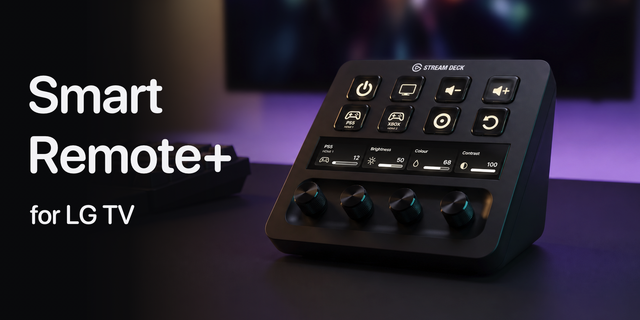
Dials for Stream Deck +
Volume Dial: turn for volume, press to mute. The touchscreen shows your TV's real volume level and follows the TV's own remote too.
TV Status Dial: your TV's name, whether it's on or in standby, and its volume. Turn for volume, press to mute.
Navigation Dial: scroll through menus up and down, or left and right. Press to select, tap the touchscreen for Back, hold it for Home.
Live status on Stream Deck Neo
TV Status Infobar: power state, volume and mute at a glance.
Everything you can put on a key
Power: a toggle that checks whether your TV's screen is on first, plus separate Power On and Power Off
Volume up and down (hold to keep changing the volume, just like a remote) and a Mute key that shows whether mute is on
Launch App: open Netflix, YouTube, Prime Video, Disney+, Apple TV, Spotify, Plex, BBC iPlayer, Rakuten TV, or any other app by its ID
Play / Pause
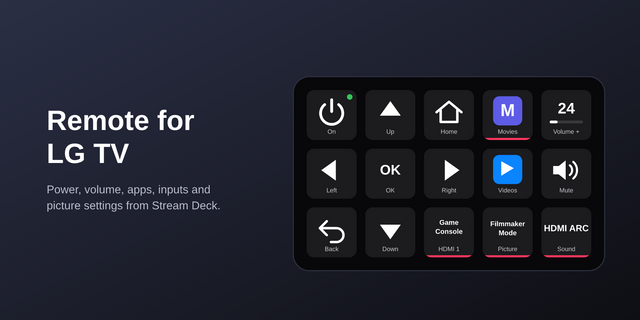
Up, Down, Left, Right, OK, Back and Home, ready to use with nothing to configure
Remote Button: Menu, Stop, Rewind, Fast Forward, Channel Up and Down, 0 to 9, Info, Subtitles, and the Red, Green, Yellow and Blue buttons
Set up once, use everywhere. Press Scan in any key's settings, choose your TV, press Connect, then select Allow on your TV within 30 seconds. Connect once and every key and dial can use that TV, or pick a different one for individual keys.
Works with Samsung Smart TVs from 2016 onwards (Tizen) on the same network as your computer, on macOS and Windows with Stream Deck 7.6 or later. Dials need a Stream Deck +, and the Infobar needs a Stream Deck Neo. Turning the TV on uses Wake-on-LAN, so Power On with Mobile must be enabled in the TV's network settings. Samsung doesn't let apps on your network switch inputs, turn the screen off or change picture and sound settings, so those aren't included. Some TVs, and TVs playing through a soundbar or receiver, don't report their volume level; the volume controls still work.
Made by Bouncing Ball, the studio behind the Smart Remote+ apps for iPhone, Android and Windows.
Initial Samsung TV release. Control power, volume, navigation, playback and apps from Stream Deck. Connect in any button's settings, share a default Samsung TV across new keys, and use the volume, TV status and navigation dials on Stream Deck +, plus live TV status on the Neo Infobar. This is the first version, so if you find anything that doesn't work, please contact help at https://www.bouncingball.mobi/lgtvremote/#streamdeck
Version 1
Oct 7, 2026
Details
Type
Utilities
OS
Mac
Windows
Compatibility
Stream Deck 7.6 or later
Size
3.43 MB
Version
1
Language
English
Support
Profiles
No
Dial support
Yes
Neo Infobar support
Yes
You might also like