SOLIDWORKS Shortcut Profile
by Adx.cool
Overview
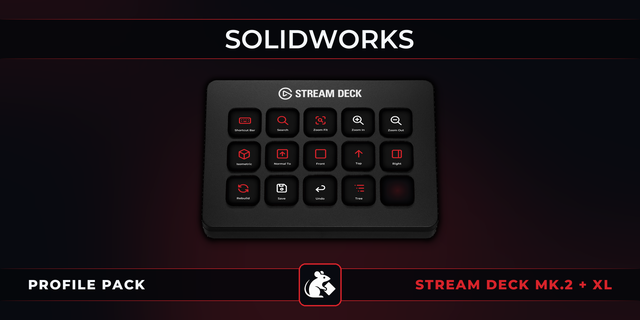
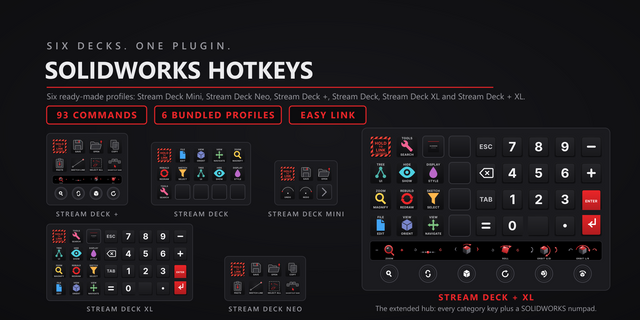
The complete SOLIDWORKS keyboard shortcut pack for Stream Deck.
56 shortcuts across 9 categories — organized, scored by importance, and ready to install on Stream Deck Classic / MK.2, XL. Stop memorizing key combos. One tap, one action.
What's included:
• File & Edit (12) • Views (10) • View Controls (8) • Interface (7) • Selection Filters (5) • Rebuild (5) • Display (5) • Sketch (3) • Help (1)
Features: • All eight view keys — the six standard views, isometric and Normal To • Selection filters for edges, vertices and faces on their own keys • The full rebuild family, including force rebuild across configurations • Every binding attested by at least two independent publishers • A distinct icon on all 56 keys
Install: double-click any .streamDeckProfile to import. The App binding is pre-filled to SOLIDWORKS — auto-activates on focus. If it didn't pre-fill, set it manually under Stream Deck → Preferences → Profiles → App.
Learn more about SOLIDWORKS: https://www.solidworks.com
Setup (required for some keys)
Windows only. SOLIDWORKS has no macOS build, so there is no Mac profile to ship.
Some keys act on whatever the pointer is over. Hide Hovered Component (Tab) and Show Hovered Component (Shift+Tab) read the cursor position, not the selection. Keep the pointer over the component you mean before tapping.
This profile is deliberately incomplete. SOLIDWORKS does not publish a reachable shortcut reference — help.solidworks.com refuses automated readers — so every binding here had to be corroborated across independent references. Shortcuts attested by only one source were left out rather than guessed. If a key you rely on is missing, that is why, and it can be added once verified.
First release. 56 bindings across eight groups: Views, View Controls, Selection Filters, Rebuild, Display, Interface, File & Edit and Sketch.
SOLIDWORKS publishes no reachable shortcut reference, so this profile was built the careful way: five independent references were cross-read, and a binding shipped only where two or more publishers agreed. Roughly fifteen plausible shortcuts were left out for resting on a single source.
One combination deserves a note. Ctrl+Shift+Tab ships as Show All Hidden Components, on two references against one that reads it as Cycle Documents Backward. It also completes the family: Tab hides the hovered component, Shift+Tab shows it, Ctrl+Shift+Tab shows every hidden one.
Bare modifier shortcuts (Alt, Shift+Alt) are excluded: a Stream Deck key cannot hold a modifier while you hover, so they would be dead tiles.
Windows only — SOLIDWORKS has no macOS build.
Version 1
Aug 21, 2026
Details
Device
Stream Deck MK
Stream Deck XL
OS
Windows
Compatibility
Stream Deck 6.4 or later
Size
2.25 MB
Version
1
Language
English
Support
Icons
Yes
You might also like