Audio
Soundpad Pro
Overview
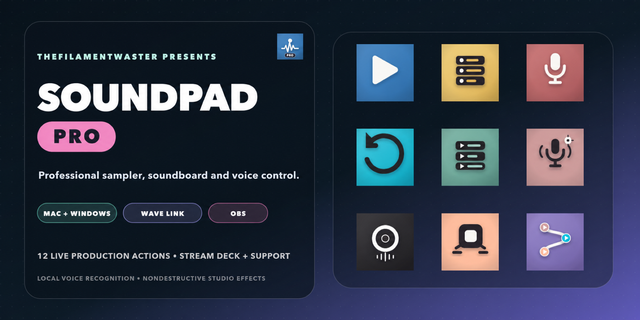
Soundpad Pro turns Stream Deck into a production-ready sampler, soundboard, instant-replay system, and show controller. Load or discover sounds, capture recordings, save the newest 5, 10, or 30 seconds, build four-cue scenes, organize sound banks, and route each pad to system audio or independent Wave Link buses.
Shape playback with waveform trimming, overlap, looping, fades, normalization, speed, reverse, silence removal, pitch shift, echo, robot effects, EQ, compression, reverb, ducking, and reusable presets.
Private local VoiceCom recognition can trigger pads, OBS scenes and sources, media, streaming, replay, and timed multi-action stacks. VoiceStacks adds a wake command followed by four independently trained production stacks, while Trainer Pad builds a reusable command library without firing live actions.
ShowFlow adds visual automation with timing, repeats, conditions, recovery rules, looping, templates, OBS, MIDI, OSC, and HTTP. The included Companion mirrors your live Stream Deck, edits pad settings, manages replay history and voice training, runs preflight and preload checks, analyzes loudness, creates portable shows, and sends optional sanitized support diagnostics through a private ticket system.
## Feature highlights
- Single, random, sequence, shuffle, toggle, hold, loop, and overlap playback
- 60-second Recordable Pads and 5/10/30-second Instant Replay
- Multiple Wave Link capture sources and output buses
- Waveform trim, creative effects, studio rack, presets, groups, and priority ducking
- Sound Banks, Freesound discovery with license information, and four-cue Scene Pads
- VoiceCom, VoiceCom OBS, VoiceCom Multi, VoiceStacks, and Trainer Pad
- OBS and compatible vertical-canvas scene, source, media, transport, and replay controls
- ShowFlow automation, Stream Deck + dial controls, and true live key feedback
- Broadcast preflight, preload, Smart Loudness, replay history, and portable show packages
- MIDI, OSC, and HTTP integrations
- Responsive single-instance Companion with direct private feedback tickets
## Requirements and dependencies
- Stream Deck 7.1 or later.
- macOS 13 or later for the current Mac package.
- Wave Link features require a compatible Wave Link installation and routing configuration.
- OBS features require OBS WebSocket; compatible vertical features require their supported OBS extension.
- Freesound search requires the user's Freesound API token and compliance with each sound's displayed license.
- MIDI, OSC, and HTTP features require compatible user-configured destinations.
- Offline phrase transcription uses an optional verified model downloaded after installation; acoustic sound recognition remains available without cloud speech processing.
## Privacy summary
Recordings, trained commands, transcripts, show data, and settings remain on the user's computer. Voice recognition and optional transcription run locally after model installation. Companion feedback is sent only when the user presses Send; contact information is optional and diagnostics are opt-in, sanitized, privately stored, and automatically removed after 90 days.
New voice workflow
- Added VoiceStacks, with one private wake phrase or sound followed by four independently trained command stacks.
- Added compact Wake/1/2/3/4 training tabs that show only the active command and learned phrase.
- Added Trainer Pad for creating, testing, loading, updating, renaming, deleting, and organizing reusable voice or sound profiles without triggering production actions.
- Saved profiles now load across VoiceCom, VoiceCom OBS, VoiceCom Multi, VoiceStacks, Trainer Pad, and Companion.
- Successful recognition uses a clean green glow without a check-mark overlay.
- Offline phrase-recognition controls now sit at the bottom of every supported voice action.
## VoiceCom, OBS, and multi-actions
- VoiceCom can activate supported Soundpad Pro pads by Voice Trigger ID.
- VoiceCom OBS supports scenes, source visibility, media, recording, streaming, OBS Replay Buffer, and compatible vertical-canvas replay controls.
- VoiceCom Multi provides draggable Action and Switch stacks with delays, OBS, Soundpad Pro triggers, embedded Sound, Record and Replay, plus MIDI, OSC, and HTTP cards.
- Embedded Record and Replay cards use the complete capture-source catalog, including Wave Link and application sources.
Version 3.1.3
Sep 4, 2026
Details
Type
Audio
Gaming
Productivity
Streaming
OS
Mac
Compatibility
Stream Deck 7.1 or later
Size
7.34 MB
Version
3.1.3
Language
English
Support
Profiles
No
Dial support
Yes
Additional links
You might also like