-app-icon-optimized-9e53f816-6496-46e8-a70f-14ec2c17162b.png)
Music
Spotify
by Elgato
Overview
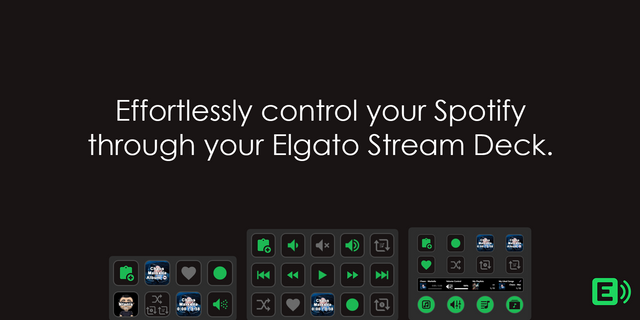
Control Spotify from Stream Deck across keys, dials, and the Infobar. Browse your music, manage your queue, save songs, control playback, and more without leaving what you're doing.
Whether you're streaming, gaming, working, or just vibing to your favorite tracks, Stream Deck keeps Spotify within easy reach. Browse playlists and saved music, quickly save what you're listening to, manage what's coming up next, or jump to something new without reaching for your mouse.
Go beyond basic controls with actions for your Spotify library, playlists, search, queue, and more. Play your Liked Songs or saved albums, find music and podcasts with a saved search, add the current track to a playlist, or start a sleep timer right from Stream Deck.
Key actions:
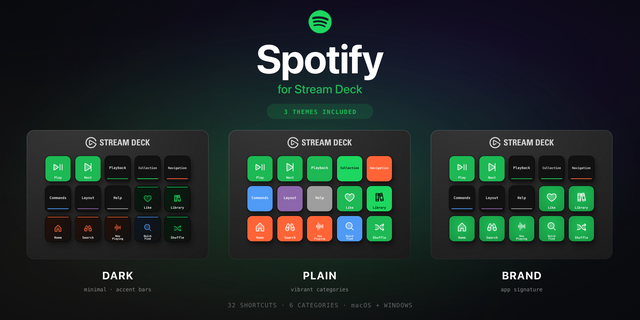
Playback: Play, pause, toggle playback, or skip to the previous or next track
Shuffle: Toggle shuffle on or off
Repeat: Cycle through repeat modes
Volume: Adjust Spotify volume by a custom step amount
Save to Liked Songs: Add or remove the currently playing track from your Liked Songs
Add to: Add or remove the current track from a selected playlist or Collection
Play Collection: Play playlists, Liked Songs, saved albums, podcasts, audiobooks, recently played music, top tracks, and more
Saved Search: Save a Spotify search for songs, playlists, albums, artists, podcasts, episodes, or audiobooks and play results from Stream Deck
Queue: See what's playing and what's coming up next
Sleep Timer: Automatically pause Spotify after a set amount of time, with options to stop, restart, or extend the timer
Dial actions:
Multimedia: Browse your music from a dial, then press to select. Switch between track navigation and volume control
Play Collection: Rotate to browse items in a collection and press to play
Saved Search: Browse search results and press to play
Queue: Scroll through your upcoming queue and press to jump to a track
Infobar actions:
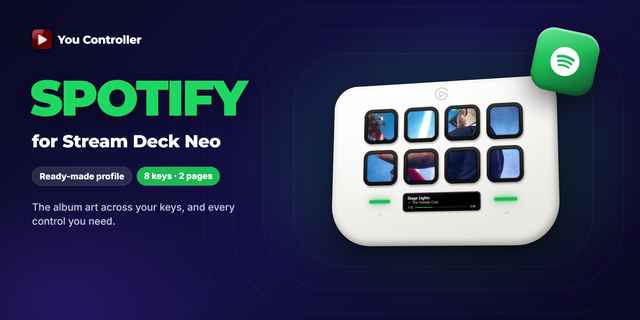
Now Playing: See the current track's artwork, title, and artist at a glance on Stream Deck Neo
Stream Deck updates as you listen, showing playback status, shuffle and repeat states, track artwork, queue information, sleep timer progress, and more. Basic playback controls work directly with the Spotify desktop app. Library, search, queue, and playlist features require you to sign in to Spotify through the plugin.
Requires the Spotify desktop app for Windows or macOS.
Spotify and the Spotify logo are trademarks of Spotify AB. This plugin is independently developed by Elgato and is not affiliated with, endorsed by, or sponsored by Spotify.
Take your Spotify experience further with new ways to browse, play, and manage your music directly from Stream Deck.
New Play Collection action: Browse and play playlists, albums, Liked Songs, podcasts, audiobooks, and more from keys and dials.
New Saved Search action: Save Spotify searches, browse results, and play directly from keys and dials.
New Queue action: See what's coming up and jump between tracks using keys or dials.
New Save to Liked Songs action: Quickly save or remove the current track with a key press.
New Add to action: Add or remove tracks from playlists and Collections with a key press.
New Sleep Timer action: Automatically pause playback after a set amount of time using a key.
New Now Playing Infobar action: See track artwork, title, and artist on Stream Deck Neo.
Improved playback information and visual feedback across keys and dials.
Various fixes and improvements.
Version 2.5.0.86
Sep 22, 2026
Details
Type
Music
OS
Mac
Windows
Compatibility
Stream Deck 6.9 or later
Size
1.22 MB
Version
2.5.0.86
Language
Chinese
English
French
German
Japanese
Korean
Spanish
Support
Profiles
No
Dial support
Yes
Neo Infobar support
Yes
You might also like