Gaming
Star Citizen Control
by FlowKits
Overview
🚀 Star Citizen Plugin for Stream Deck with context-driven page switching. Jump in a ship, it automatically switches to "Flight" page. Hop out, it'll move you back to "On Foot" page. Detects and works with your existing bindings.
Create your own layout, or use the included layouts for your device. The plugin detects and automatically binds actions to your keybinds. This plugin reads your in-game keybinding file. Nothing to match up and no list of keys to go and change. One button setup for missing binds.
--
✅ Includes pre-made layouts, which automatically switch from On Foot to Flight pages when entering and exiting your ship*.
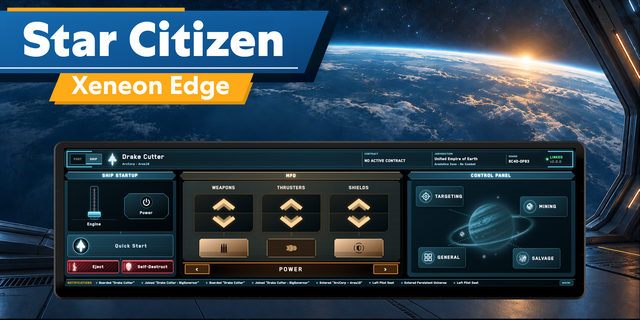
✅ Contract, objectives, ship, location and shard on the deck, read from the game's own log.
✅ Plugin uses your existing keybindings, whatever they are. Rebind in game and the Stream Deck key updates within a second.
✅ Anything you never bound, it can bind for you in one press. No complicated setup.
Built for the latest release, on all Stream Decks and Galleon keyboard. * It's worth knowing the plugin leverages the game's log to determine when a player has entered and exited a ship, which can be flaky when jumping in and out quickly.
--
⌨️ Set Up In About A Minute
Install the plugin, use the profile designed for your deck (optional) or create your own layout, and start the game. That's the entire setup. The plugin reads your keybinds.
Six months from now you'll rebind something. The deck will know within seconds what the new keybind is. And on the day you move an action to your stick, that key dims and says so, instead of sitting there looking fine and doing nothing while you press it in a fight.
--
🔧 The Keys You Never Bound
Star Citizen ships 586 of its 1,103 actions with no key on them. Every emote, the whole directional shield set, most of the power presets. Open the keybindings menu to fix that yourself spend an evening working on it.
The Auto-Bind option in this plugin is the alternative: one press, and they go on suitable keys the game isn't using. Yours are untouched, your controls file is backed up first (just in case).
--
📋 The Information Keys
The things you might open mobiGlas for. Which ship or contract you're on and how many objectives are left.
Press an objective key to walk through a contract with several tasks.
--
⚡ Sequences
I've created a few sequences that I personally use, plus some extras. For example, the cold-start ritual, on one key. Start Sequence brings a dead ship up in order: power plant, thrusters, shields, weapons, Flight Ready. Land Sequence calls ATC and drops the gear on approach.
Shutdown puts the ship away the way you'd do it by hand, main power last. It's the only key here you hold rather than tap, because it's the only one that can leave you drifting.
Lots of sequences to explore.
--
🎛️ Dials
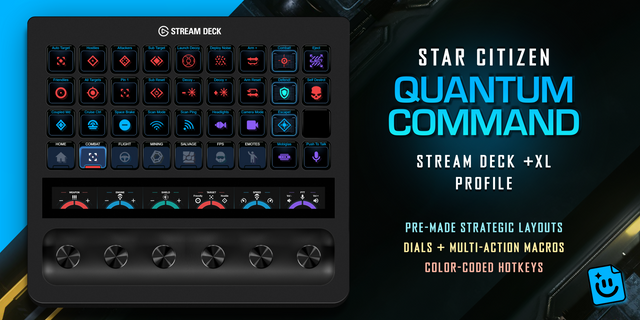
If your deck has them, the 'power triangle' adjustments stops being on keys and becomes something you turn: weapons, thrusters, shields, cooling. Press a dial to cut that system's power. Speed limiter, scan focus, target cycling and tractor distance get their own.
--
📦 What's Included in the Star Citizen Plugin
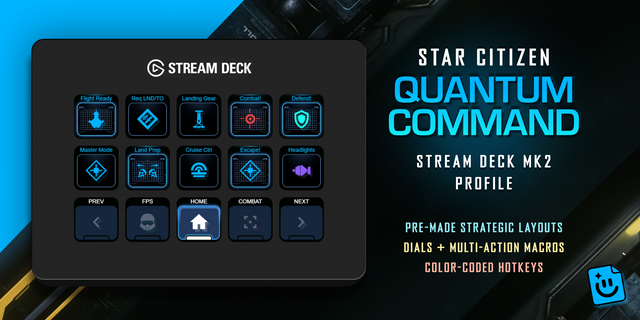
Profiles for Stream Deck + XL, XL, MK2, +, Neo, Mini and Galleon 100 SD
Pages for flight, combat, mining, salvage, scanning and on foot
The deck follows you onto a ship and back off it when on foot
Taps, holds and double taps taken from the game's own table
Self Destruct and Eject require a HOLD (no accidental ejecting in a panic haha)
--
Disclaimer
This Stream Deck Star Citizen plugin is an independent creation, not affiliated with or endorsed by Cloud Imperium Games or Roberts Space Industries. Star Citizen and related marks are trademarks of Cloud Imperium Games Corporation, used solely to identify compatibility. Background imagery in marketing images is made using screenshots by http://hasgaha.com
Lighter and cooler when you're not playing. Star Citizen Control now keeps an eye out for the game in a far more efficient way. While Star Citizen is closed, the plugin's background work is a tiny fraction of what it was, so your PC sees lower CPU use, less power draw and lower idle temperatures.
Once you launch, it follows the game at almost no cost, and your deck still switches to your Star Citizen profile and back just as before. Your keys, bindings and profiles are unchanged.
Thanks to Dionysios whose detailed HWiNFO measurements led to this improvement.
Version 1.0.2
Oct 16, 2026
Details
Type
Gaming
OS
Windows
Compatibility
Stream Deck 6.9 or later
Size
9.95 MB
Version
1.0.2
Language
English
Support
Neo Infobar support
No
Profiles
Yes
Dial support
Yes
Additional links
You might also like



![Star Citizen SCK3 XL [white - original]](https://mp-cdn.elgato.com/media/eec3d2e4-c96d-41cd-b6f0-2c93e55696cc/StarCitizenSCK3XLwhite-original-thumbnail-optimized-8c7dc5a5-0331-474e-92b0-538debe7d326.png)