Gaming
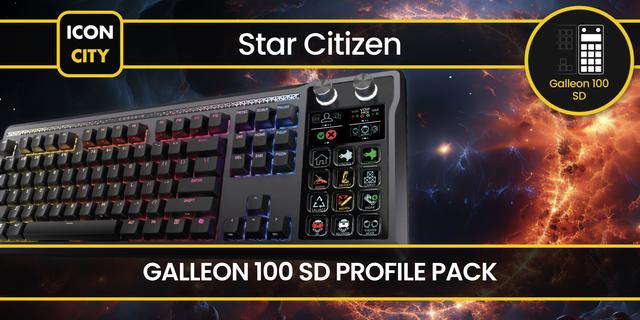
Star Citizen Galleon 100 SD - Quantum Command Profile
by FlowKits
Overview
🚀 Star Citizen for Galleon 100 SD: Stream Deck on your keyboard, dials included, no extra desk space.
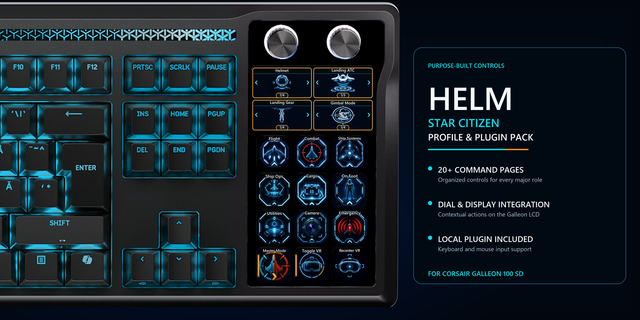
The Corsair Galleon 100 SD is a mechanical keyboard with 12 LCD Stream Deck keys above the function row and 4 LCD dials along the top. Quantum Command turns it into a dedicated Star Citizen control surface without sacrificing a single inch of desk space.
--
✅ 5 mission-ready pages, 12 keys, 4 LCD dials.
✅ Full Power Triangle on the LCD dials.
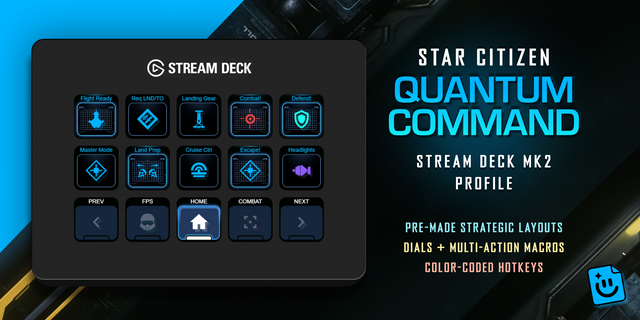
✅ One-tap combat macros: Combat Ready, Defensive Stance, Escape Run.
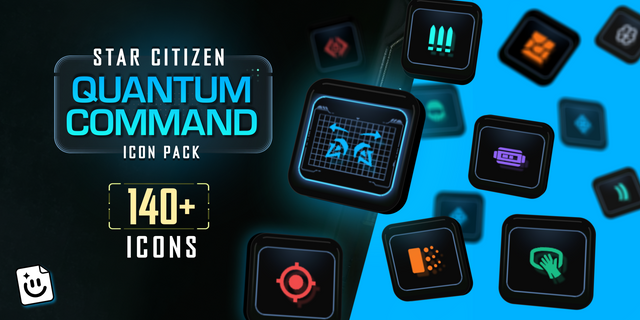
✅ Custom Star Citizen icons throughout.
✅ Always built and verified on the latest release of Star Citizen.
--
⚡ Why You'll Love It
The Galleon is the value pick for pilots who want dials but do not want a separate Stream Deck device cluttering the desk. It is also the easiest way to add Stream Deck workflow to an existing setup, because the device is already your keyboard.
--
🎮 Power Triangle on the LCD Dials
The 4 LCD dials handle weapons, engines, shields, plus a fourth assigned to navigation. Twist to shift, press to max. The same Power Triangle workflow that makes the Stream Deck Plus feel like a real cockpit, built right into the keyboard.
--
📦 What's Inside
🗂️ 5 mission-ready pages: Home, Combat, Systems, Mining, FPS.
🎛️ Full Power Triangle on LCD dials (Weapons, Shields, Engines).
🔁 Combat macros: Combat Ready, Defensive Stance, Escape Run.
🎨 Custom Star Citizen icons throughout.
💻 Windows. Star Citizen is a Windows-only game.
--
🛡️ Built for Alpha 4.9, Free Patch Updates
Default-keybind based. Survives most alpha patches. Free updated profile if CIG changes a default.
--
🚀 Quick Install
1️⃣ Download the .streamDeckProfile file.
2️⃣ Double-click to import into Stream Deck software.
3️⃣ Launch Star Citizen. Fly.
--
📥 What's Included
✅ Quantum Command profile for Galleon 100 SD (.streamDeckProfile)
✅ Star Citizen key icons
✅ Setup guide
--
🎯 Perfect For
Star Citizen pilots who want Stream Deck workflow without an extra device on the desk. Mechanical keyboard fans who want dials. Setup minimalists.
🚀 One profile. 5 pages. Less Memorizing, More Flying.
--
Disclaimer
This Stream Deck profile is an independent creation, not affiliated with or endorsed by Cloud Imperium Games or Roberts Space Industries. Star Citizen and related marks are trademarks of Cloud Imperium Games Corporation, used solely to identify compatibility.
Rebuilt for Star Citizen 4.9
An apology first. Star Citizen moved its default keys through 4.x and parts of this profile stopped matching it. Emotes were the worst: instead of saluting, your character dropped to the floor. Sorry. This fix is free.
✅ Fixed
Every key re-checked against 4.9, using the game's own data
Right hand Alt keys work again, restoring Salvage's fire toggles, Eject, Port Lock and Flight Ready
On foot keys corrected: Consumables, Inventory, Weapon Stance, Reload
Emotes rebuilt as real key bindings. No chat window, no floor. Twenty emotes, a minute to set up
🎯 New layout
Every control now sits in the same place on every page: navigation along the bottom, a fixed flight row above it, panic macros in one column, Eject and Self Destruct in the corner.
📥 Updating
Re-download and import for your device. Emotes need one extra file, guide included.
Version 1.3
Aug 11, 2026
Details
Type
Gaming
Device
GALLEON 100 SD
OS
Windows
Compatibility
Stream Deck 7.1 or later
Size
4.26 MB
Version
1.3
Support
Icons
Yes
Dial support
Yes
Additional links
You might also like


-thumbnail-optimized-018e88da-72f7-480a-a443-711f82fd0c7f.png)