Gaming
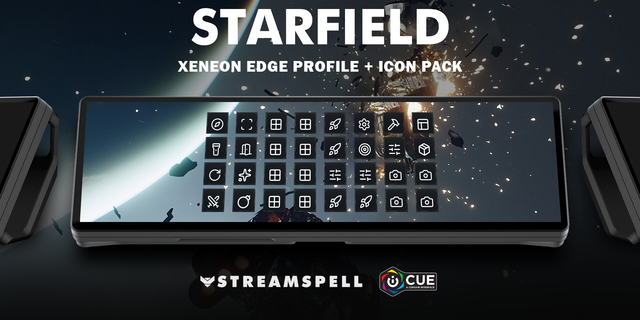
Starfield Stream Deck Profile + Icon Pack
by StreamSpell
Overview
Explore the Settled Systems with 186 keyboard actions for Starfield, organized into six categories with graphite instrument keys, white icons and colored telemetry accents.
Explore: movement, interaction, reload, scanner, flashlight, melee, grenades, powers, sprint, sneak, container transfers and security controls.
Quick: favorites menu and all 12 quick-key slots.
Ship: boosters, flight modes, targeting, system power, repairs, takeoff, cockpit exit, cargo, crew and ship information controls.
Build: outpost confirmation, variants, categories, object repair and view modes; shipbuilder parts, floors, edits, colors, undo/redo, flight checks and upgrades.
Menus: inventory, skills, missions, maps, ship, powers, data menu, quick save/load, menu navigation, terminal view and starmap tools.
Photo: snapshots, UI visibility, mode and category selection, camera directions, headtracking and helmet visibility.
Includes 7 Windows profiles, a CSV file with key mappings, 2628 matching icons across six accent colors and an installable Stream Deck icon pack.
Compatible with Stream Deck Mini, Neo, MK2, +, +XL, XL and Galleon 100 SD. Requires Windows, Stream Deck software and Starfield for PC.
Uses Bethesda-documented default keyboard bindings. Each action works in its corresponding in-game context. The included key mapping identifies that context and the configured press or hold input; match the listed keys if you customized your controls.
Dial controls
Stream Deck +: Spaceship (Flight): Decrease System Power/Spaceship (Flight): Increase System Power, Spaceship (Flight): Previous System/Spaceship (Flight): Next System, system volume, Stream Deck brightness. Stream Deck +XL: Spaceship (Flight): Decrease System Power/Spaceship (Flight): Increase System Power, Spaceship (Flight): Previous System/Spaceship (Flight): Next System, system volume, Stream Deck brightness, Security: Rotate Left/Security: Rotate Right, Shipbuilder (Empty): Undo/Shipbuilder (Empty): Redo. Galleon 100 SD: Spaceship (Flight): Decrease System Power/Spaceship (Flight): Increase System Power, Spaceship (Flight): Previous System/Spaceship (Flight): Next System, system volume, Stream Deck brightness. Rotation sends a short tap for each step; press/touch are not assigned to game commands. Alternative touch strip backgrounds are included.
Not affiliated with or endorsed by the game’s creators.
No release notes for this version
Version 1
Oct 28, 2026
Details
Type
Gaming
Device
GALLEON 100 SD
Stream Deck +
Stream Deck Mini
Stream Deck MK
Stream Deck Neo
Stream Deck XL
Stream Deck + XL
OS
Windows
Compatibility
Stream Deck 7.1 or later
Size
135.31 MB
Version
1
Language
English
Support
Icons
Yes
Dial support
Yes
Additional links
You might also like