Gaming
Steam Library
Overview
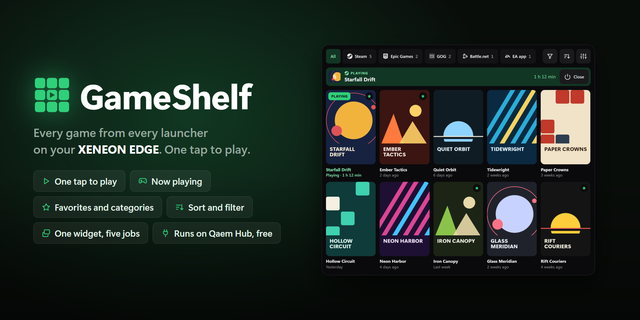
Browse, organize, launch, install, and close your games with a polished XENEON EDGE widget that transforms your touchscreen into a dedicated library interface for Steam.
Library for Steam automatically detects locally installed games, displays their cover artwork, tracks active downloads, and provides fast access to your collection without requiring you to navigate the full Steam client.
What’s Included
The widget includes two integrated library layouts:
A responsive poster-grid layout with dedicated Favorites, Recently Played, Installed, and Uninstalled categories.
An immersive showcase layout that keeps the selected game centered while surrounding titles can be browsed using touch gestures, mouse dragging and the scroll wheel.
Select an installed game to launch it directly through Steam. Running games display a visible status banner and can be closed from the widget. Uninstalled games can optionally be displayed and selected to open their installation page in Steam.
Add non-steam apps to the canvas as well and launch/close directly from the widget.
Download activity appears inside the widget for all of your games.
Favorites and Organization
Create custom categories to place games in a designated header.
Favorite games are placed in a dedicated category above the rest of the library and receive priority in showcase mode. Favorited games display a custom star indicator and can be unfavorited directly from their poster.
Individual games can be hidden without being removed from Steam. Hidden titles can be restored at any time through the widget settings.
A Recently Played section provides quick access to your latest games.
Steam Profile Features
An optional Steam Web API key unlocks additional features, including:
Steam profile image and username
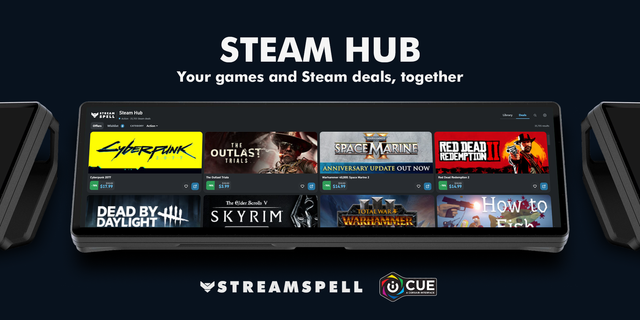
Deals, Wishlist, News updates
Launch & Exit Big Picture Mode
Online, Away, Invisible, and Offline status
Status controls directly from the widget
Total game playtime
Recently played games
Friends currently playing each game
Owned and uninstalled games
Friends currently playing a game are displayed above a games poster when active.
The Steam Web API key is optional. Installed-game detection, cover artwork, launching, closing, and local library features continue to work without it. The widget does not store the key itself.
Customization
Personalize the widget through the iCUE configuration panel with adjustable background opacity, custom background artwork, and an option to toggle the header.
Upload a custom image, or animated GIF to create a personalized library background. Background opacity can be reduced completely for use over another XENEON EDGE layout.
Responsive layouts are included for Small, Medium, Large, and XL widget sizes.
Required Download
This widget requires the free Library Companion application to detect Steam installations, retrieve local game information, proxy cover artwork, monitor downloads, launch games, and close running games.
Download Respawn Companion using the Related Download link on this product page. It is a lightweight app that will open on your PC's initial startup and run in the background. It allows the widget to bridge the local data from your Steam.
Your Steam profile and game details must be set to Public for profile metadata, playtime, recently played games, and friends-playing information to appear in the widget.
Disclaimer
Library for Steam is an independently developed third-party community product and is not endorsed by, sponsored by, or affiliated with Valve Corporation, Steam, CORSAIR, Elgato, or their respective subsidiaries.
Steam, the Steam logo, game names, game artwork, and all related trademarks and intellectual property belong to Valve Corporation and their respective publishers and owners.
Version 1.12 - Minor Update
Improved image loading times for wishlist & discovery pages.
Version 1.12
Oct 15, 2026
Details
Type
Gaming
Device
XENEON EDGE
OS
Windows
Size
148.07 KB
Version
1.12
Language
Chinese (Simplified)
English
French
German
Italian
Japanese
Korean
Russian
Spanish
Support
Dashboard Sizes
Extra large
Large
Medium
Small
Recommended Orientation
Horizontal
Vertical
Interactive
Yes
Additional links
You might also like