Productivity
Stream Announcer for Twitch & YouTube
Overview
Announce your Twitch or YouTube stream with one Stream Deck key!
Stream Announcer makes sharing your live stream easier. After going live, press GO LIVE to automatically send your announcement to Discord and open a ready-to-post message on X. Use either destination or both.
Key Features
One-Key Announcements: Prepare your X post and send your Discord announcement with a single key press.
Twitch & YouTube Support: Choose your platform and save your channel URL.
Discord Auto-Send: Automatically send your message and stream link through your Discord webhook.
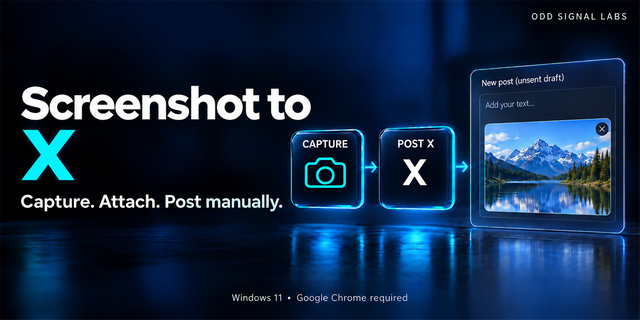
X Post Preparation: Open X with your announcement and stream URL already filled in. Review and post manually.
YouTube Live Links: Attempts to find your direct live-video URL, with automatic fallback to your channel's /live link.
Custom Messages: Save your own announcement text, including emojis and line breaks.
Duplicate Protection: Helps prevent accidental repeated announcements.
Simple Setup: Configure your channel and message once, then announce whenever you go live.
Requirements
Stream Deck 7.1 or later
Internet connection
Discord webhook for Discord announcements
X account for posting to X
Please Note: Start your stream before pressing GO LIVE. This plugin does not automatically detect live status, start streams, or publish posts to X. Discord announcements are sent immediately when triggered.
Tested on Windows with Stream Deck Mobile. macOS compatibility has not been independently verified.
An independent Odd Signal Labs product. Not affiliated with Twitch, YouTube, Discord, X, or Elgato.
AI assistance was used in development and promotional artwork.
Version 1.1.3.0 — Initial Marketplace Release
Announce Twitch and YouTube live streams with one Stream Deck key.
Automatically send announcements to Discord using webhooks.
Open X with a prefilled announcement and stream link, ready for manual posting.
Support X and Discord announcements together or individually.
Automatically attempt to resolve YouTube live-video URLs, with channel /live fallback.
Customize and save announcement messages for each key.
Prevent accidental duplicate announcements with built-in cooldown protection.
Support Discord webhook URLs from discord.com and discordapp.com.
Updated plugin artwork and improved compatibility.
Version 1.1.3
Oct 21, 2026
Details
Type
Productivity
Social
Streaming
OS
Mac
Windows
Compatibility
Stream Deck 7.1 or later
Size
440.38 KB
Version
1.1.3
Language
English
Support
Neo Infobar support
No
Profiles
No
Dial support
No
You might also like