Streaming
Stream Hotkey Deck Plus — Stream Deck MK.2
by panda studio
Overview
Before you buy: every hotkey key does nothing until you bind it in your streaming app's hotkey settings (folder and back keys only switch pages); the profile does not connect to any app by itself. macOS only, Stream Deck MK.2 (15 keys).
The bigger Stream Hotkey Deck for Stream Deck MK.2 on Mac: 67 hotkeys across a Home page and 4 folders (Scenes, Audio, Alerts, Game), every key with its own icon.
SAME KEYS AS STREAM HOTKEY DECK
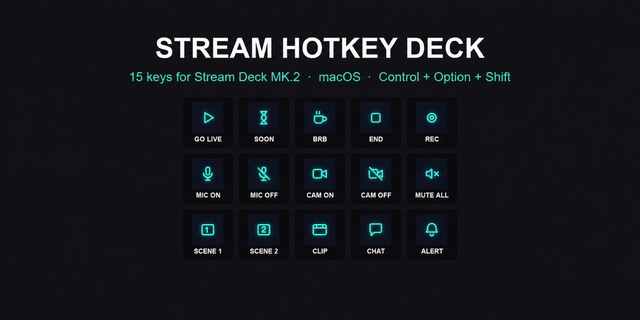
Every action that is also in Stream Hotkey Deck sends the same key command (Control+Option+Shift + a letter or digit), so a setup you already made in your streaming app keeps working. New actions use Control+Option+Command + a letter.
WHAT IS ON THE KEYS
• Home: go live, starting soon, BRB, end, mic on/off, camera on/off, record, clip, alert + 4 folders
• Scenes: scene 1 to 8, screen share, pause, still, privacy, break, ending
• Audio: mute all, volume up/down, SFX, music, play, next, shuffle, clap, voice chat mute, hype, aww and more
• Alerts: follow, sub, raid, tip, gift, poll, timer, chat, pin, highlight, goal, marker, emotes, shoutout
• Game: replay, clip, screenshot, marker, boss, GG, defeat, spoiler, split, team, versus, level up, mic off, BRB
SET UP ONCE
Import the profile, open your app's hotkey settings, click an action and press the matching Stream Deck key.
DETAILS
• Mac key codes, built and exported in the Stream Deck app. Key art from Stream Control Icons. No plugins needed.
Not affiliated with any streaming software. Made by panda studio.
First release: 67 hotkeys for Stream Deck MK.2 on Mac in a Home page and 4 folders (Scenes, Audio, Alerts, Game). Same key commands as Stream Hotkey Deck.
Version 1
Oct 5, 2026
Details
Type
Streaming
Device
Stream Deck MK
OS
macOS
Compatibility
Stream Deck 7.1 or later
Size
644.72 KB
Version
1
Support
Icons
Yes
AI Content
Yes
You might also like
-thumbnail-optimized-2be28037-48c5-43dc-a12b-22de5eecd771.png)

-thumbnail-optimized-5c842357-bfba-4182-b4c8-8c5092518587.png)