Utilities
Streamliner Essentials
Overview
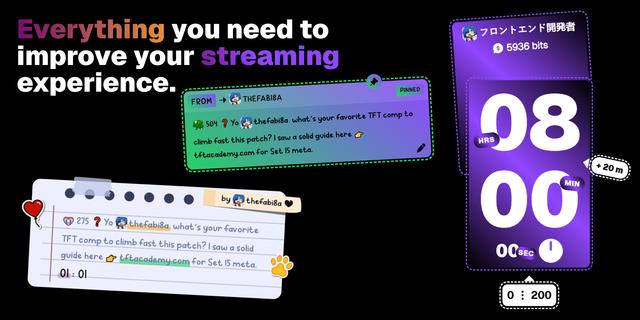
Streamliner Essentials fires the graphics you design on streamliner.tv from a Stream Deck key.
Sign in from any key's settings. Streamliner opens a pairing page, you approve the device, and the deck can see the triggers on your published elements.
Trigger
The Trigger key lists every alert, counter, and now-playing trigger on elements you have published. Press it to send that event to the live overlay, the same way Send test alert does in the studio. Keys you arrange on the Triggers tab in Streamliner show up in that same order.
Design a tip lower third. Create an element at your broadcast size. On a text layer, set Trigger to Donor name, Amount, or Message, and leave Tips enabled. Set the element's Alert to Tips so a tip plays the timeline once. Set Run to Timed for a one-shot lower third, or Indefinite if the graphic should stay on screen and only update its text. Publish the browser source. On the deck, sign in, choose that project's Tip trigger, and edit the name, amount, and message. Press the key and the overlay plays with those values.
The same pattern works for subscriptions (name, tier, months, message), follows and raids (name and count), and channel redemptions (name, reward, message). A bar layer set to Goal fills from a tip. Text bindings fill in the words. A play reaction starts the animation. A binding without a play reaction updates a graphic that is already on screen, which suits a goal bar or a score that should not replay every time.
Now playing. On a text layer, set Trigger to Track name, Artist, or Album. On an image layer, set Music to Album art. Publish the source. The Trigger key's Now playing entry sends a title, artist, and album to that overlay. For a graphic that should appear when the song changes, add a reaction: when the track changes, play this element.
Counter
A counter is a number stored for a text layer. Set that layer's Trigger to Stream Deck counter. The layer shows an ID. Publish the browser source so the live page subscribes to it.
Two ways to drive it. The Counter key does not need a sign-in: paste the ID, then choose Add one, Set, or Reset. The Trigger key can do the same after you sign in, picking the counter from your published projects. The key title shows the current value. Use it for a death counter, a sub goal, a hydration count, or any number you want on stream. Another reaction can add, set, or reset that same ID when an alert or a track change arrives.
Music
Play/Pause, Next Track, and Previous Track control Spotify through Music Magic. Sign in on the key. Playback needs Streamliner Premium and Spotify Premium, with Music Magic connected to the Spotify account you want to control. The key title shows the current track.
These transport keys change what is playing. The Trigger key's Now playing entry updates the overlay text you designed. Use both when the graphic and the playlist should stay in step.
Requires Stream Deck 7.1 or newer on macOS 12 or Windows 10.
Icons from Flaticon. Tag icon designed by GOFOX from Flaticon. Flash icon designed by Smashicons from Flaticon. Next and previous icons designed by Anggara from Flaticon. Play button icon designed by NajmunNahar from Flaticon.
Initial Release, welcome to Streamliner!
Version 0.2
Oct 13, 2026
Details
Type
Utilities
OS
Mac
Windows
Compatibility
Stream Deck 7.1 or later
Size
165.49 KB
Version
0.2
Language
English
Support
Neo Infobar support
No
Profiles
No
Dial support
No
Additional links
You might also like