Engagement
StreamLinkr
by StreamLinkr
Overview
StreamLinkr for Stream Deck gives you instant hardware control over your entire StreamLinkr setup. Every action is built for live streaming - chatbot management, viewer engagement, music requests, and stream utilities - all accessible with a single button press, no mouse or keyboard required.
The plugin connects directly to StreamLinkr running on your PC. No accounts, no cloud, no extra setup. Just open StreamLinkr, load the plugin, and your Stream Deck is ready.
What is StreamLinkr?
Glad you asked, StreamLinkr is a Twitch/Kick/Youtube AI Chatbot, which comes with a multitude of features. All locally hosted, all data stored on the Streamer's machine, no subscription, pay once and own forever. Interested? - https://streamlinkr.tv
Requirements: StreamLinkr must be installed and running on your PC.
CHATBOT CONTROLS
Chatbot Toggle - Start or stop your chatbot with one press. The key updates in real time to show Online or Offline, so you always know your bot's status without switching windows.
Restart Bot - Instantly restart your chatbot mid-stream. No need to open StreamLinkr - one press and it's back up.
Mute Bot - Silence your bot's chat responses without fully stopping it. The key shows Muted or Unmuted at all times so you never lose track.
Bot Uptime - See how long your bot has been running directly on your Stream Deck key.
ENGAGEMENT
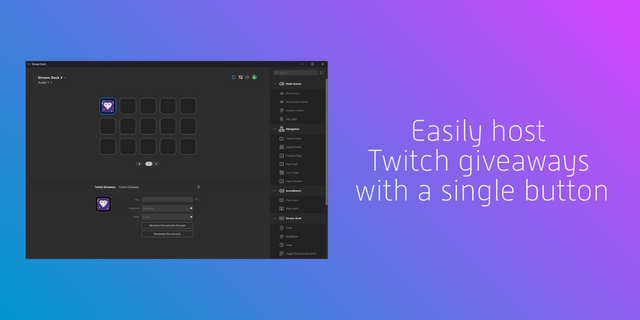
Giveaway - Run a complete giveaway from a single key. Press once to open entries, again to stop entries, and a third time to pick a winner. The key state advances automatically at each step.
Raffle - Start and stop a raffle with one press. The key reflects whether a raffle is currently running.
Lotto - Full lotto control from one button. States cycle through Start, Pause, Resume, and Confirm Winner as your session progresses.
Lotto Pick Winner - Pick the lotto winner or reroll from a dedicated key. After a winner is drawn the key switches to Reroll Winner, so you can draw again if needed or confirm to lock in the result.
Counter Increase / Counter Decrease / Counter Reset - Manage any StreamLinkr counter directly from your deck. Each key can be assigned to a different counter via the property inspector, letting you track multiple stats at once.
MUSIC
Now Playing - Monitor your song request queue without looking at your screen. The key updates its state when a song is actively playing.
Song Skip - Skip the current song request with one press.
Song Queue Clear - Clear all pending song requests instantly.
UTILITIES
Send Announcement - Fire a preset chat message at the press of a button. Configure the message text per key in the property inspector - great for periodic shoutouts, stream rules, or promo links.
Clip Trigger - Trigger a StreamLinkr clip directly from your hardware without opening the app.
Launch Program - Launch StreamLinkr or any configured program from your deck. The key shows whether the program is currently running or stopped, so you always know the state at a glance.
Change Log - V1.1.0.0
Features
Giveaway - added a standalone Cancel button (aborts and clears entries before a winner is picked) and a combined Pick/Re-roll Winner button (shows "Pick Winner" until a winner exists, then flips to "Re-roll Winner")
Improvements
Giveaway - the main Giveaway button is now Start / Pause Entries / Resume Entries / Confirm Winner instead of Start / Stop Entries / Pick Winner; picking and re-rolling moved to their own dedicated button, and confirming the winner resets the giveaway for the next round without posting a "cancelled" message in chat
Launch Program - program status (Streamer.bot, Ollama, Speaker.bot, pear-desktop) now updates over the same push feed the desktop app uses, instead of a fixed 5s REST poll, so a key flips to "Running" as soon as StreamLinkr detects it instead of waiting out the next poll tick
Fixes
Giveaway - the Pause/Resume press was posting to a /stop endpoint that doesn't exist on the StreamLinkr server (the real route is /pause), so pausing a giveaway from Stream Deck silently failed
Giveaway - the button's running/paused state was read from whether the giveaway was still open, but pausing never closes it (only picking a winner or cancelling does) - pressing Pause left the key stuck showing "running" instead of advancing to "paused"
Version 1.1
Jul 24, 2026
Details
Type
Engagement
Monitoring
Streaming
OS
Windows
Compatibility
Stream Deck 6.9 or later
Size
36.63 MB
Version
1.1
Language
English
Support
Profiles
No
Dial support
No
Additional links
You might also like