Engagement
Supertip
by Supertip
Overview
Supertip for Stream Deck puts your Supertip show on your deck. Play the next tip, skip or pause it, replay the last one, and see every tip the moment it arrives. On a Stream Deck +, browse the waiting tips and turn the show's volume with a dial.
Every key shows what Supertip is doing right now, so the deck always matches what your viewers see.
Keys
Play Next: plays the next tip and counts what is waiting
Skip: skips the tip that is playing
Pause / Resume: pauses or resumes the show
Auto Mode: on or off, and what it is waiting for
Replay Last: plays the last tip again
Latest Tip: lights up when a new tip lands, press to play it
Now Playing: who is on screen and how far in
Live and Overlays: on air, and an overlay connected
Poll and Goal: press to show or hide, hold to close or pause
Dials (Stream Deck +)
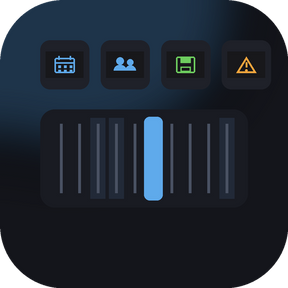
Waiting Tips: turn to browse, press to play
Now Playing: progress on the strip, press to skip
Volume: turn for the show's volume, press to mute, or point it at one overlay
Requirements
A Supertip account (supertip.gg) with a show and the Stream Deck integration enabled
Stream Deck 6.9 or later on macOS 12 or Windows 10 and up
Setup
Open your show's Integrations page on supertip.gg and press Connect Stream Deck. The plugin pairs itself with a key made just for it, and you choose what that key may do. You can also type the code, or paste an API key, in any action's settings.
A revoked, expired or deleted API key no longer keeps contacting Supertip. Once Supertip refuses the key, the plugin already stopped polling and showed Re-pair on every action. Key presses and the queue dial's refresh still sent requests, though, and each one was refused. They now do nothing except show the alert. Pair again from the show's Integrations page and everything works as before.
Version 0.1.2
Oct 13, 2026
Details
Type
Engagement
Finance
Streaming
Utilities
OS
Mac
Windows
Compatibility
Stream Deck 6.9 or later
Size
276.28 KB
Version
0.1.2
Language
English
Support
Profiles
No
Neo Infobar support
No
Dial support
Yes
Additional links
You might also like