Productivity
Taskbar
by Qaem
Overview
Taskbar — Your Windows At A Tap on the CORSAIR XENEON EDGE
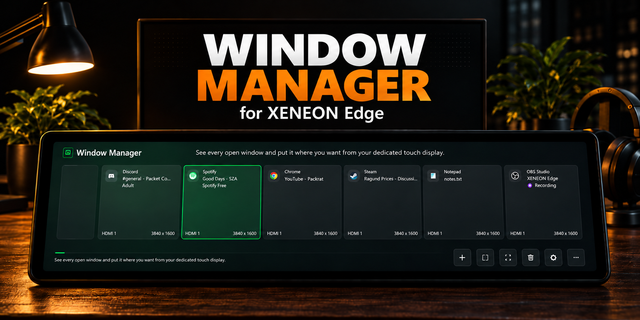
Every open window on your XENEON EDGE, with your pinned apps beside them. Switch, minimize, snap and move windows from the touchscreen next to your keyboard.
No alt-tabbing, no hunting through the taskbar, no Stream Deck required.
Key Features:
Every Window, One Tap Away
Window Cards: The app's icon and name, the window's title and the monitor it's on.
Tap To Switch: Tap a window to switch to it. Tap the one in front to minimize it.
Hold For More: Minimize, Maximize or Restore, Snap left, Snap right, Move to another monitor, New window, Pin, Hide app and Close.
Attention: Windows that ask for attention are marked, the way the Windows taskbar flashes them.
Pinned Apps
Pins Beside Your Windows: Tap one to switch to it, or to open it when it isn't running.
Grouping: Apps with several windows can be grouped, with a list of their windows one tap away.
Real Names And Icons: Store apps, File Explorer and browser profiles show with their real names and icons.
One Widget, Several Jobs
Widget Types: Add Taskbar more than once and give each copy a job in iCUE's widget settings: Everything (with a filter by monitor), One monitor (place one copy per monitor), Pinned apps, or Window in front (large buttons for the window you're using).
Shared Pins: Pins and hidden apps are shared by every copy. Each copy keeps its own type, monitor, grouping, text size and colours in iCUE's widget settings.
Every Size: Designed for every XENEON EDGE tile, wide or vertical. Small tiles become an icon dock like the Windows taskbar.
Requires Qaem Hub (Free Companion App)
Qaem Hub: Taskbar needs Qaem Hub, QaemDev's free companion app for Windows: qaemdev.com/products/qaem-hub. An iCUE widget can't see or move windows on its own, so Qaem Hub's Taskbar module does, only while the widget is showing them. Nothing leaves your PC.
Just This Module: Rather not install Qaem Hub? Get the Taskbar Module, a small app with only this module inside: qaemdev.com/downloads/taskbar-module-setup.exe. Qaem Hub takes it over, settings kept, if you install it later.
Looks After Itself: Qaem Hub runs quietly in the tray, starts with Windows and keeps itself up to date. If it isn't running, the widget says so and starts it with one tap.
Requirements
CORSAIR iCUE 5.45 or newer with a XENEON EDGE.
Windows 10 or 11.
Notes
Windows lets Qaem Hub close or move a window that runs as administrator only when Qaem Hub runs as administrator too.
On iCUE 5.51 and newer, allow 127.0.0.1 in iCUE Settings, Widget Access, if iCUE asks.
SETUP TAKES TWO MINUTES
Install Qaem Hub, add its Taskbar module, and import the widget in iCUE. Your windows are there.
SETUP GUIDE: https://qaemdev.com/guides/qaem-hub-setup
First release. Every open window on your XENEON EDGE, with your pinned apps beside them: tap to switch, hold to snap, move, pin or close, in four widget types. Needs Qaem Hub, the free companion app.
Version 1
Oct 6, 2026
Details
Type
Productivity
Utilities
Device
XENEON EDGE
OS
Windows
Size
34.16 KB
Version
1
Language
English
Support
Dashboard Sizes
Extra large
Large
Medium
Small
Recommended Orientation
Horizontal
Vertical
Interactive
Yes
Additional links
You might also like