Social
Telegram Shortcut Profile
by Adx.cool
Overview
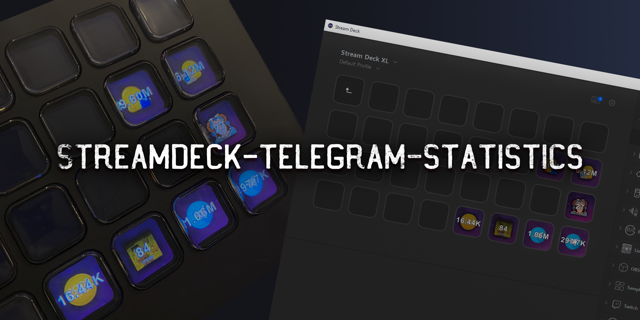
The complete Telegram keyboard shortcut pack for Stream Deck. 34 shortcuts across 5 categories — organized, scored by importance, and ready to install on any Stream Deck model. Stop memorizing key combos. One tap, one action. What's included: • Navigation (11): Search Chat, Exit Search, Jump to Bottom, Saved Messages, Folder 1, and 6 more • Messages (8): Reply to Message, Cancel Reply, Edit Last Message, Delete Message, Edit Media, and 3 more • Formatting (7): Bold, Italic, Underline, Strikethrough, Monospace, and 2 more • Chats (4): Move to Chat Below, Move to Chat Above, Exit / Go Back, Send File • Window (4): Minimize to Tray, Quit Telegram, Lock Telegram, Minimize Window Features: • Two icon themes: Dark (minimal, accent bars) and Plain (vibrant category colors) • Folder-based navigation with category pages for quick access • Auto-organized layout — most important shortcuts first • Works on all Stream Deck models (Mini, Neo, Classic, XL) • Available for macOS and Windows Learn more about Telegram: https://telegram.org
Initial release of the Telegram Shortcut Profile.
• 34 keyboard shortcuts across 5 categories
• Two icon themes: Dark and Plain
• Folder navigation with category pages
• Supports all Stream Deck models
• macOS and Windows keybindings
Version 1
Apr 17, 2026
Details
Type
Social
Device
Stream Deck Mini
Stream Deck MK
Stream Deck XL
OS
macOS
Windows
Compatibility
Stream Deck 6.4 or later
Size
3.5 MB
Version
1
Language
English
Support
Icons
Yes
You might also like