Utilities
Text Expander Lite
by PackRat 🐀
Overview
Text Expander Lite turns repeated typing into reusable Stream Deck shortcuts. Save named text snippets once, use them as simple reusable text templates, assign them to keys, and update the snippet later without rebuilding every key that uses it.
Lite includes up to 10 local snippets plus dynamic text variables for {date}, {time}, and {clipboard}. Use it for email text, support replies, addresses, links, code snippets, creator notes, or any text you type repeatedly. Unicode, emoji, multiline text, tabs, special characters, and URLs are supported.
Insertion is designed for real Windows apps. Normal snippets can use Unicode keyboard input, while long text can fall back to temporary clipboard paste for speed and compatibility. When clipboard paste is used, Text Expander attempts to preserve and restore the previous clipboard contents.
Everything stays local on your PC. There is no cloud account, snippet sync, or PackRat service. Text Expander treats snippet content as text and does not execute it as shell code or commands.
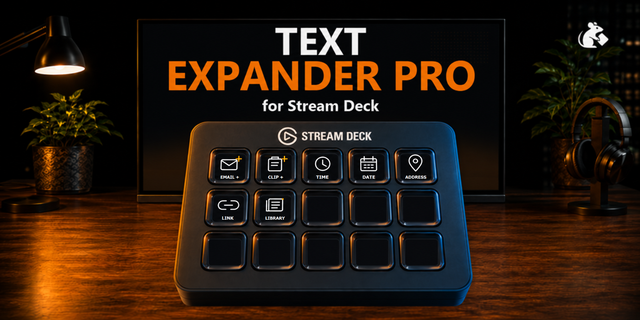
Includes simple starter profiles for Standard/MK.2, Mini, XL, Stream Deck +, and Neo with EMAIL + and CLIP + keys. Both use clear purpose-specific icons with an add badge, while additional snippets can be created directly in the Property Inspector.
Requires Windows 10 or newer and Stream Deck 7.1 or newer.
Part of the PackRat Ecosystem.
• Improved plugin setup and settings experience
• General usability and reliability improvements
Version 1.1
Sep 22, 2026
Details
Type
Utilities
OS
Windows
Compatibility
Stream Deck 7.1 or later
Size
1.29 MB
Version
1.1
Language
English
Support
Dial support
No
Profiles
Yes
You might also like