Utilities
Text Expander Pro
by PackRat 🐀
Overview
Text Expander Pro is a local text expansion toolkit for Stream Deck. Build a large library of reusable text snippets, organize it with folders, and insert support replies, email templates, creator blocks, code snippets, addresses, meeting links, or other repeated text from one key.
Pro adds fill-in templates for text that changes every time. Write a template such as Hi {name}, thanks for reaching out about {topic}, and Text Expander prompts for the missing fields before returning focus to your previous app and inserting the completed text.
Dynamic variables include {date}, {time}, {datetime}, {clipboard}, {username}, {computer}, and reliable Windows foreground-process context through {app}. Named {counter:name} counters, reusable local variables, custom date/time formats, {cursor} placement, and optional Tab or Enter after insertion make templates useful for support, development, creator, and everyday productivity workflows.
Unicode, emoji, multiline text, tabs, special characters, URLs, code, and very long snippets are supported. Normal text can use Unicode keyboard input, while long text can fall back to temporary clipboard paste. When clipboard paste is used, Text Expander attempts to preserve and restore the previous clipboard contents.
All snippets, reusable variables, counters, and template values stay local on your PC. There is no cloud account or sync service, and snippet text is never executed as shell code or commands.
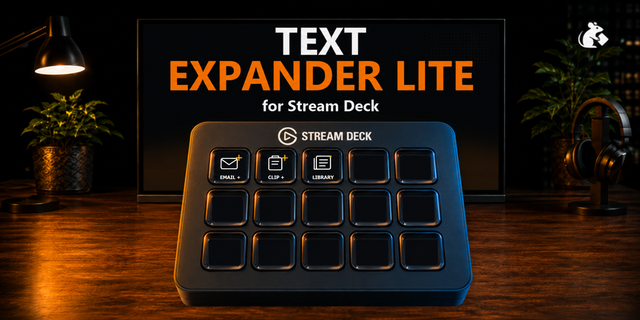
Includes device-specific starter profiles for Standard/MK.2, Mini, XL, Stream Deck +, and Neo. The first QUICK page gives you EMAIL +, CLIP +, TIME, DATE, ADDRESS, and LINK, followed by EMAIL, SUPPORT, CREATOR, DEVELOPMENT, and PERSONAL workflow pages. Demo addresses, links, signatures, and contact text are placeholders for you to replace.
Requires Windows 10 or newer and Stream Deck 7.1 or newer. This is generic text expansion software and does not connect to an external text-expansion account or service.
Part of the PackRat Ecosystem.
• Large local snippet library with folders and reusable variables; Fill-in templates that prompt for required fields before insertion
• Dynamic date/time, clipboard, Windows app, username, computer, and named counter variables
• Custom date/time formatting, cursor placement, and optional Tab or Enter behavior
• Device-specific profiles with a QUICK page for EMAIL +, CLIP +, TIME, DATE, ADDRESS, and LINK plus EMAIL, SUPPORT, CREATOR, DEVELOPMENT, and PERSONAL pages
Version 1
Sep 19, 2026
Details
Type
Utilities
OS
Windows
Compatibility
Stream Deck 7.1 or later
Size
1.3 MB
Version
1
Language
English
Support
Dial support
No
Profiles
Yes
You might also like




-thumbnail-optimized-00240b91-9062-4204-8ba1-2e9b6b229524.png)
-app-icon-optimized-d832f174-0a76-4ee2-950e-e1d1cea117f7.png)