Utilities
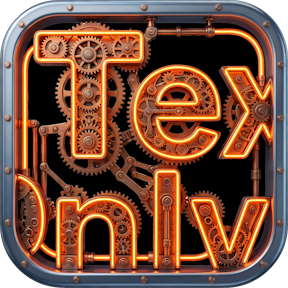
Text Only
by derTom
Overview
Text Only turns your Stream Deck keys into a flexible text canvas – no icons, no image editing, just clean, precisely placed text exactly where you want it.
Whether you need a simple label, a multi-key banner stretching across your whole deck, or perfectly aligned text overlays, Text Only gives you full control down to the pixel.
KEY FEATURES
Pure text buttons – Add readable labels to any key without needing a custom icon.
Stretch text across multiple keys – Enable "text extension" and let a single line of text flow seamlessly over neighboring keys – perfect for banners, dividers, or titles.
Full typography control – Choose from a curated set of sans-serif, serif, monospace, and display fonts, or enter your own custom font name. Adjust size (10–500px), color, and toggle bold, italic, and underline styles.
Pixel-precise positioning – Nudge your text with directional buttons (press-and-hold for continuous movement) and see live X/Y offset feedback.
Adjustable layering (z-index) – Stack multiple overlapping text elements and control which one sits on top, key by key.
Button gap compensation – Fine-tune spacing to account for the physical bezel between keys, keeping multi-key text visually aligned.
Smart overflow warnings – If your text extends beyond the available keys, a red indicator instantly shows you which direction is missing coverage – no more guessing why text got cut off.
Live highlight preview – Press any key showing extended text to briefly highlight its source button and current layer, making complex layouts easy to understand at a glance.
Text Only is ideal for streamers, podcasters, and power users who want clean, professional-looking decks – timers, labels, section dividers, quotes, or simply a tidy way to organize a Stream Deck without hunting for icons.
Lightweight, fast, and fully compatible with Stream Deck software 6.9+ on Windows and macOS.
Check out my other projects: https://marketplace.elgato.com/@dertom
- Restructured: The settings page is now organized into clearly separated sections with their own heading and divider: "Text" (text field, overflow warning, layer), "General" (text extension, button gap), "Appearance" (font, style, size, colors, background), "Position" and "Privacy".
- New: X/Y position and rotation angle are now controlled via a D-pad with a rotation ring - the four arrows move the text as before, and the angle is set by grabbing the blue dot on the ring.
- New: Much larger font selection. The plugin can't query the system's font database directly, but it now automatically tests around 90 common Windows and Mac font names when the settings open (Sans-Serif, Serif, Monospace, Display/Decorative, and new Script/Handwriting)
- New: A "MAX" button next to the "+" in the Size row. It automatically sets the largest font size at which the text (at its current position, rotation and button gap) still fits entirely on its own key or on neighboring keys with text extension enabled, without spilling into keys that don't have it turned on.
- Changed: The Privacy section (switch, hint box with lock icon) and the footer now look exactly like the Steam Status plugin's.
Version 1.0.1
Aug 17, 2026
Details
Type
Utilities
OS
Mac
Windows
Compatibility
Stream Deck 6.9 or later
Size
64.23 KB
Version
1.0.1
Language
English
German
Support
Profiles
No
Dial support
Yes
You might also like