Business
TextTap: Snippet Expander
by Magoo
Overview
Reusable text, ready at a tap.
Stop retyping the same replies, instructions, links, signatures, code, and everyday text. TextTap turns your Stream Deck into a local-first snippet library, giving you fast access to reusable text without requiring an account, subscription, or cloud service.
Create snippets once, organize them your way, and insert them into your active application from a Stream Deck key.
Build a complete reusable-text workflow:
Save unlimited snippets in your local library.
Organize snippets with folders, favorites, search, and recent-use views.
Create templates with fill-in text fields and multiple-choice fields.
Review changing information with a live preview before insertion.
Add dynamic values such as dates, times, clipboard text, usernames, computer names, UUIDs, and custom variables.
Configure inline text directly on individual Stream Deck keys.
Choose between Paste, Type, or Clipboard Only output.
Control clipboard restoration, insertion delay, typing cadence, and optional delimiters.
Import and export your library as JSON for local backup and transfer.
Generate useful values with Text Stamp:
Formatted dates and times
Relative and business dates
Weekdays
File-safe timestamps
Random numbers
Persistent sequence counters
UUIDs and ISO timestamps
Custom text
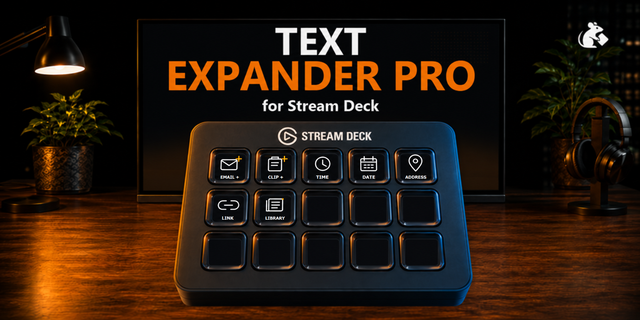
Three configurable Stream Deck actions are included:
Insert Snippet: Insert saved snippets, inline text, templates, and dynamic values.
Open Library: Create, organize, search, edit, import, and export snippets.
Text Stamp: Insert generated dates, counters, identifiers, timestamps, or custom text.
Your snippet library remains stored locally in Stream Deck settings. TextTap does not require an external account, API key, AI service, or ongoing subscription.
On macOS, Paste and Type output may require Accessibility permission. Insertion also depends on the target application accepting automated keyboard input.
Compatibility: Stream Deck 7.1 or later, macOS 13 or later, and Windows 10 or later.
TextTap: Snippet Expander 1.1.0
TextTap now closes more of the gap between one-off text buttons and a managed snippet workspace.
What’s new
Snippet Collection action: choose saved snippets or a folder, then insert them sequentially or at random.
Sequential collections persist their position and advance only after a successful insertion.
Finish actions for Paste and Type output: Space, Tab, Return, Select all, Copy, Paste, Command/Ctrl + Return, and Escape.
Expanded Type controls with character, word, and paragraph timing plus optional jitter.
Starter examples for Support, Sales, Creator, and Development workflows.
Existing fill-in fields, choices, variables, backup/import, Text Stamp, and local-first storage remain part of TextTap.
The standard edition includes the new collection and advanced Type features. TextTap Lite remains focused on five saved snippets and basic Paste output.
TextTap stores snippet data locally and does not require an account. Finish actions are constrained to supported keys; arbitrary scripts are not executed.
Version 1.1
Oct 10, 2026
Details
Type
Business
Monitoring
Productivity
Utilities
Video
OS
Mac
Windows
Compatibility
Stream Deck 7.1 or later
Size
546.81 KB
Version
1.1
Language
English
Support
Profiles
No
Neo Infobar support
No
Dial support
No
Additional links
You might also like