Streaming
TikScan Live
by Tikscan live
Overview
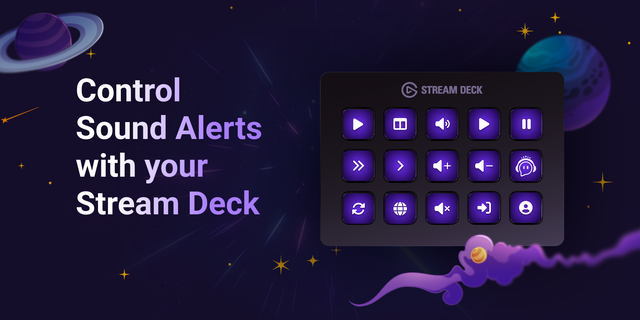
TikScan Control lets streamers control TikScan Live directly from Elgato Stream Deck, keeping media, overlays, alerts, and music one key press away during a broadcast. Show or hide Media sources and Layout layers, trigger Sound Alerts, play or pause music, skip tracks, and adjust volume without switching windows. Each configurable action connects locally to TikScan Live on the same computer, with automatic pairing and no API key.
Key actions:
Show or hide video, image, and web Media sources
Trigger configured Sound Alerts tikscan
Show or hide existing Layout layers
Play or pause music tikscan
Move between tracks
Adjust volume in configurable steps
Setup: install the plugin, open TikScan.Live app and sign in, add an action to a Stream Deck key, then use Connect & Refresh in the Property Inspector to select its target.
Requires TikScan.live app and Stream Deck 7.1 or later on the same Windows 10+ or macOS 12+ computer.
TikScan Control lets streamers control TikScan Live directly from Elgato Stream Deck, keeping media, overlays, alerts, and music one key press away during a broadcast. Show or hide Media sources and Layout layers, trigger Sound Alerts, play or pause music, skip tracks, and adjust volume without switching windows. Each configurable action connects locally to TikScan Live on the same computer, with automatic pairing and no API key.
Key actions:
Show or hide video, image, and web Media sources
Trigger configured Sound Alerts
Show or hide existing Layout layers
Play or pause music
Move between tracks
Adjust volume in configurable steps
Setup: install the plugin, open TikScan Live and sign in, add an action to a Stream Deck key, then use Connect & Refresh in the Property Inspector to select its target.
Requires TikScan Live and Stream Deck 7.1 or later on the same Windows 10+ or macOS 12+ computer.
Version 1.4.2
Aug 3, 2026
Details
Type
Streaming
Utilities
OS
Mac
Windows
Compatibility
Stream Deck 7.1 or later
Size
449.33 KB
Version
1.4.2
Language
English
Support
Profiles
No
Dial support
No
Additional links
You might also like