Utilities
TimeShift
by Nir Rotem
Overview
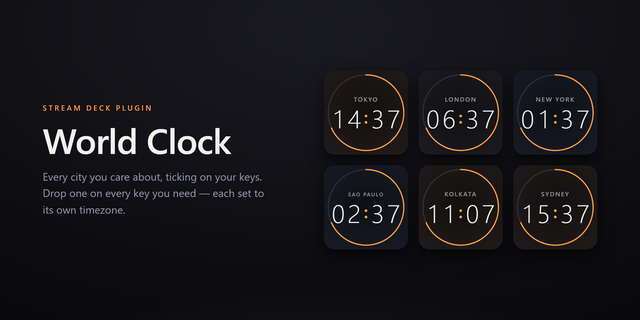
Explore time across the globe. Add city clocks, shift hours and minutes, and compare timezones instantly from your Stream Deck.Explore time across the globe — shift hours and minutes to compare timezones instantly.
Full Description:
TimeShift turns your Stream Deck into an interactive world clock. Add city tiles for any timezone, then shift time forward or backward to instantly see what time it is — or was — anywhere in the world.
Perfect for remote teams, international scheduling, and anyone who needs to think across timezones without doing mental math.
Features:
Add unlimited city clocks, each with a searchable timezone picker
Tap to shift ±1 hour or ±1 minute; hold for ±3 hours or ±15 minutes
All clocks update together — see the offset across every city at once
Day/night indicator with sun and moon icons per city
Color-coded time: orange for day, cyan for night
Auto-resets to live time after 1 minute of inactivity
Lock the offset with a long-press on Reset for extended comparison
Clean, minimal design with date and AM/PM display
TimeShift 2.1.2 — Performance & fixes
- Performance: fixed high CPU usage in the Stream Deck app. Keys are now only
redrawn when their content changes (about once a minute) instead of every
second.
- Fixed: time offset now auto-resets to live time 60 seconds after the last
shift, as intended (previously it never reset).
- Invalid timezone settings now show an alert on the key and are logged.
- Plugin icon updated to full resolution (256/512 px).
- Cleaner package: removed duplicate icon files.
Version 2.1.2
Sep 29, 2026
Details
Type
Utilities
OS
Mac
Windows
Compatibility
Stream Deck 6.9 or later
Size
1.25 MB
Version
2.1.2
Language
English
Support
Neo Infobar support
No
Profiles
No
Dial support
No
Additional links
You might also like