Development
Token Pulse
by Tiltti
Overview
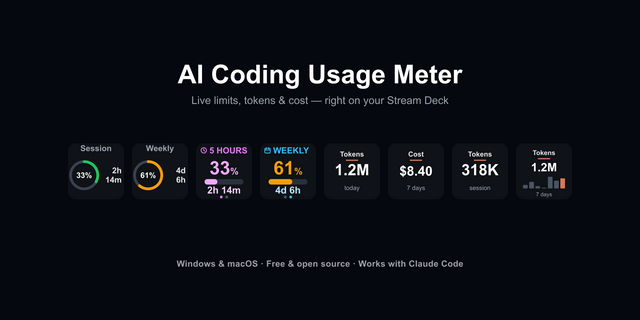
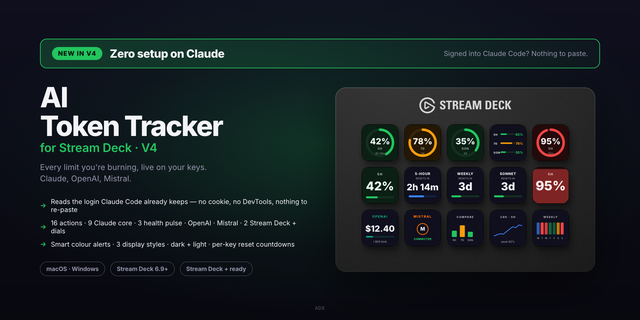
Token Pulse puts your Claude Code usage limits on the keys of your Stream Deck, so you can see how much of your session, week and per-model quota is left without opening a terminal.
How it works
It reads the Claude Code login already on your Mac and your local transcript history under ~/.claude. No API key and no setup: install it, stay signed in to Claude Code, and the keys fill in. It keeps showing the last cached values when you are offline.
What's included (16 keys)
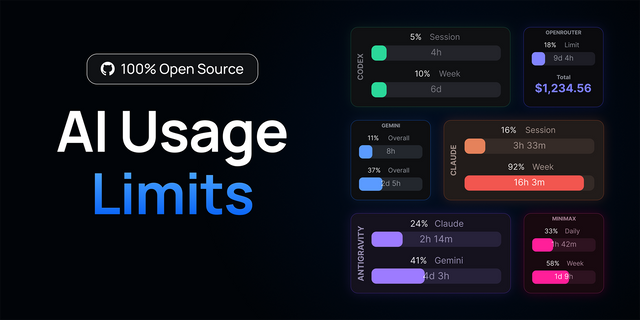
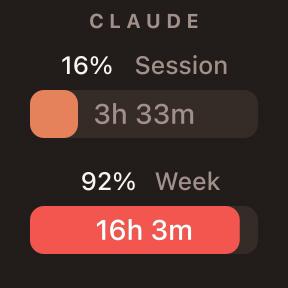
Session (5-hour), weekly and per-model limits, updated live
Reset countdown, burn rate, and a time-to-cap forecast
Cost estimate, model comparison, a 24-hour sparkline and a week/month heatmap
Project breakdown, personal records, Claude Code activity and Anthropic service status
Deck Wall: one action across a row of keys becomes a single wide display
Press a key to cycle styles, time windows, records or status components
Settings in English, German, French and Spanish
Why it stays accurate
It forecasts when a limit will be reached and stays quiet when the trend is unclear instead of inventing a number. Local transcripts log one response as several lines, so Token Pulse deduplicates them for correct totals.
Privacy
The credential is used only to call api.anthropic.com for your own limits; it is never written to disk, logged or sent anywhere else. Status comes from status.claude.com. Everything else runs on your Mac.
Requires Claude Code signed in on this Mac. Keypad only in this version.
Initial release.
16 actions: session, weekly and per-model limits; usage overview; reset countdown;
burn rate and time-to-cap; cost estimate; model comparison; 24h history; heatmap
(week/month); project breakdown; personal records; Claude Code activity;
Anthropic status; Deck Wall.
Settings available in English, German, French and Spanish.
Version 1
Oct 12, 2026
Details
Type
Development
Monitoring
Utilities
OS
Mac
Windows
Compatibility
Stream Deck 6.9 or later
Size
354.89 KB
Version
1
Language
English
French
German
Spanish
Support
Profiles
No
Dial support
No
Neo Infobar support
No
You might also like