Audio
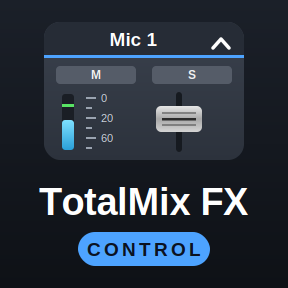
TotalMix FX Control
by shells
Overview
TotalMix FX Control is a complete rewrite of the original TotalMix Stream Deck plugin, built from scratch to fix most of its issues. It puts TotalMix FX on your Stream Deck: keys and Stream Deck+ dials that look and act like the mixer. Faders, mute, solo, 48V, snapshots, DURec, EQ, dynamics, reverb and Room EQ, drawn live so the deck shows what TotalMix does.
Built for TotalMix FX 2.1 (Global OSC): channels by absolute number, real state feedback, peak meters, snapshots that light while loaded. Everything the old plugin offered remains as the classic actions, so TotalMix FX 1.96–2.0 stay supported within the limits of their OSC implementation.
- Volume: any fader, submix send, pan or preamp gain. Dials step in dB along the real fader curve; press to mute, tap to dim, or assign your own.
- Toggle: mute, PFL, 48V, dim, mono, talkback, EQ, dynamics, loopback and more, lit by the mixer.
- Trigger: snapshots, layouts, presets, undo/redo, DURec transport, show/hide the window.
- Effects: EQ, low cut, dynamics, Auto Level, Room EQ, reverb and echo on knobs, in TotalMix's units. List settings as one-press keys.
- Display: meters with peak hold, device status, DSP load, DURec time.
Requires an RME interface with TotalMix FX 1.96+ (2.1+ for Global OSC actions), OSC enabled, Stream Deck 6.9+ on Windows 10+ or macOS 13+.
Docs + Setup Guide: https://shells-dw.github.io/streamdeck-totalmix/
Fixed
After a PC start, Global OSC input and playback faders could stay at "—" and a turn dropped the fader to −∞, until a settings panel was opened.
A fader turn before its level was known wrote −∞ to the mixer.
Large interfaces could exceed the plugin's state limit, so part of TotalMix's data was dropped.
Version 5.5.2
Oct 27, 2026
Details
Type
Audio
Music
Productivity
OS
Mac
Windows
Compatibility
Stream Deck 6.9 or later
Size
657.05 KB
Version
5.5.2
Language
English
Support
Neo Infobar support
No
Profiles
No
Dial support
Yes
Additional links
You might also like






-thumbnail-optimized-4f45c4db-228f-4e4d-96b9-d9a308356d78.jpeg)
-app-icon-optimized-a53ebe6e-f24d-457d-9845-4a2fbcf66535.png)