Gaming
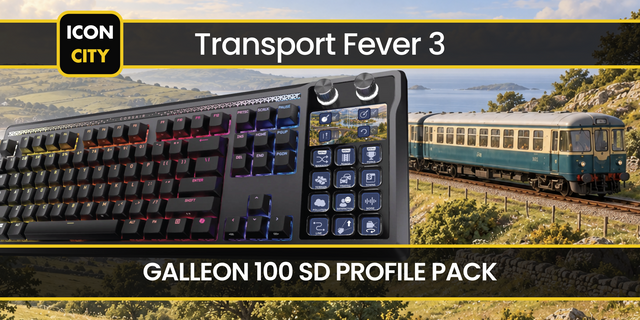
Transport Fever 3 Shortcut Profile + Icon Pack
by Adx.cool
Overview
The complete Transport Fever 3 keyboard shortcut pack for Stream Deck.
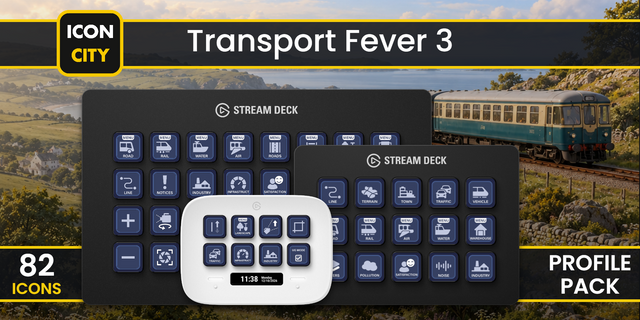
56 shortcuts across 8 categories — organized, scored by importance, and ready to install on Stream Deck Neo, Classic / MK.2, XL. Stop memorizing key combos. One tap, one action.
What's included:
• Construction (12): Construction Option 1, Construction Option 2, Construction Option 3, Construction Option 4, Construction Option 5, and 7 more • Data Layers (10): Terrain Layer, Towns Layer, Infrastructure Layer, Traffic Layer, Passenger Flow Layer, and 5 more • Build Menus (9): Road Stations & Depots, Rail Stations & Depots, Water Stations & Depots, Air Stations & Depots, Street Construction, and 4 more • Statistics (8): Line Manager, Line Statistics, Vehicle Statistics, Station Statistics, Warehouse Statistics, and 3 more • Game (6): Pause / Resume, Cycle Game Speed, Quick Save, Take Screenshot, Show / Hide Notifications, and 1 more • Camera Tool (5): Play / Pause Path, Stop Path, Add Key Frame, Clear Key Frames, Start Recording • Cockpit (3): Next Camera Position, Previous Camera Position, Sound the Horn • Help (3): Guide / Context Help, Open Scripting Console, Open Game Manual
Features: • 56 Transport Fever 3 controls across 8 folders — Game, Build Menus, Construction, Statistics, Data Layers, Cockpit, Camera Tool and Help. • All ten data layers on their own keys. In game they are bound to the NUMPAD — on a laptop or a tenkeyless board there is no way to reach them at all. • The nine toolbar menus on nine keys: road, rail, water and air stations, street and track construction, warehouses, perks and landscaping. • The seven statistics windows (F2–F8) plus the Line Manager, so you stop hunting the function row mid-build. • The full Camera Tool set — record, add and clear key frames, play and stop — for anyone filming their network. • Transit skin in two looks — Amber (the classic LED blind) and White — included side by side. • Built from the official Transport Fever 3 wiki's own Key Mapping table, read on 30 September 2026, the day after release. • Keys-only: works on Stream Deck Neo, Classic / MK.2 and XL, on Windows and macOS.
Install: double-click any .streamDeckProfile to import, then in the Stream Deck app open Preferences → Profiles → App and pick Transport Fever 3.
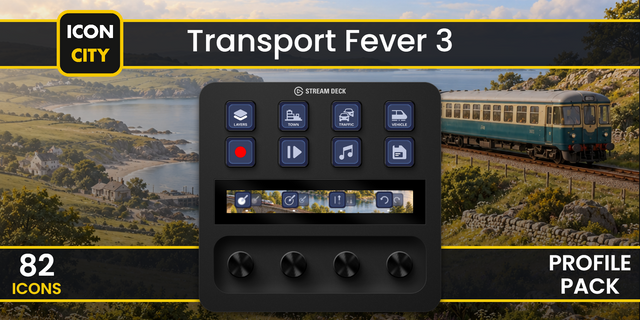
Also included: the 112-icon Transport Fever 3 icon pack (56 icons in 2 finishes), as a .streamDeckIconPack you can install with a double-click. Every key in this profile, available to drop on any action you like.
Try it first: press the keys of this profile in your browser, no install — https://streamdeck.adx.cool/try/transport-fever-3/
Learn more about Transport Fever 3: https://www.transportfever3.com/
v2.0.0 — every in-game key redrawn from Transport Fever 3's own toolbar.
Station menus — bus, train, ship, plane
Build tools — road, track, bulldozer
Statistics — route, clock, depot, town
Data layers — passengers, cargo, noise
Options 1-8 — big numbered buttons
Same 56 keys — same bindings, Win + Mac
Version 2
Oct 15, 2026
Details
Type
Gaming
Device
Stream Deck Mini
Stream Deck MK
Stream Deck Neo
Stream Deck XL
OS
Windows
Compatibility
Stream Deck 6.4 or later
Size
5.76 MB
Version
2
Language
English
Support
Icons
Yes
Additional links
You might also like