Productivity
Twitch Creator Tools
by Jackstmc
Overview
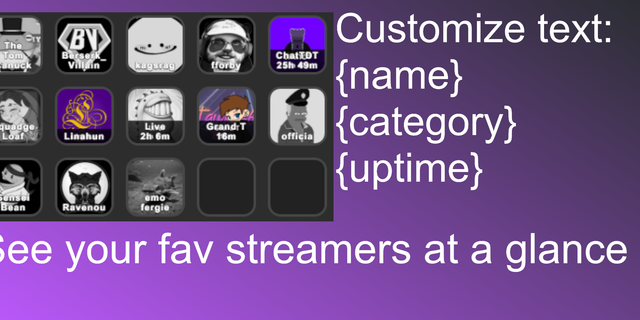
Sends a message to a Twitch chat of your choice. It will automatically add their profile picture to it, so you can easily tell who the button will go to. Optionally, you can set the icon to a streamer's emote, or even the emote of a different streamer in the key config menu. If you are a moderator, you have the option to send the message as an announcement.
There is an option down at the bottom to create a shoutout for the specified streamer in your own channel, if they are live while you or another channel you wish to post the shoutout in is currently live. Each time the button is pressed, the message will be sent to both their channel, and a seperate message will be sent into yours, or optionally, a different channel. This feature will only work if you are live/the specified channel the shoutout is set to is live, so no accidental offline spam occurs).
Use @streamname in place of where you want the streamer's username to go in your shoutout message. This is a variable that will change itself to whatever streamer you specify the button to send your message to.
Both of these messages can be sent as a twitch announcement.
As of right now, this plugin only consists of one action. If I have any ideas for more actions I will get to work on it. I am open to suggestions by others. Feel free to contact me either on discord @Jackstmc, or email me at jackstmccarthy@gmail.com for any queries.
Release 0.5.0.50
Send Message UI Reworked, Icon picker has been put below the streamer box and always visible.
Buttons for your own stream no longer save your main message that everyone else's button has, so you can have multiple buttons for your own channel that can send different things. "Add extra message" also follows that separation logic.
Simplified titles: a toggle beside “Title,” blank titles falling back to the streamer’s username.
Emotes in the text boxes now actually display as emotes that also have an emote menu as well as tab completion using the colon symbol.
Added Custom Indicators with message triggers, per-message channel and sender rules, announcement support, and configurable icon, color, position, scale, and duration.
Version 0.5.0.50
Oct 13, 2026
Details
Type
Productivity
Social
Streaming
Utilities
OS
Mac
Windows
Compatibility
Stream Deck 7.1 or later
Size
268.53 KB
Version
0.5.0.50
Language
English
Support
Profiles
No
Neo Infobar support
No
Dial support
No
You might also like