Creative Tools
Unreal Engine Shortcut Profile + Icon Pack
by Adx.cool
Overview
The complete Unreal Engine keyboard shortcut pack for Stream Deck.
134 shortcuts across 9 categories — organized, scored by importance, and ready to install on Stream Deck Classic / MK.2, XL. Stop memorizing key combos. One tap, one action.
What's included:
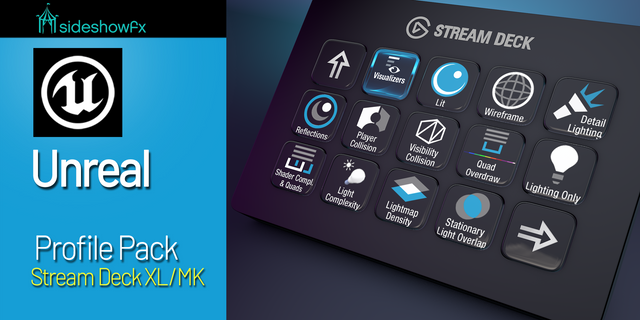
• Edit & Files (24): Undo, Redo, Cut, Copy, Paste, and 19 more • Sequencer (24): Toggle Playback, Jump to Start, Jump to End, Step Backward, Step Forward, and 19 more • Play & Debug (21): Play In Editor, Simulate In Editor, Stop Play Session, Eject / Possess, Show Mouse Cursor, and 16 more • Viewport (17): Focus Selected, Game View, Immersive Mode, Toggle Realtime, Show FPS, and 12 more • Camera (13): Perspective, Top View, Bottom View, Left View, Right View, and 8 more • View Modes (11): Lit, Unlit, Wireframe, Detail Lighting, Lighting Only, and 6 more • Blueprint (11): Compile Blueprint, Find in This Blueprint, Find in All Blueprints, Toggle Breakpoint, Clear All Breakpoints, and 6 more • Transform (9): Select Tool, Move Tool, Rotate Tool, Scale Tool, Cycle Transform Gizmo, and 4 more • Help (4): Unreal Engine Documentation, Viewport Controls, Console Commands Reference, Remote Control API Quick Start
Features: • Transform gizmos, snap-to-floor family, seven camera angles and camera bookmarks • Eight view modes on Alt+digit, plus the collision and LOD views the menu hides • One-tap stat fps / stat unit / stat gpu, HighResShot, slomo and the debug camera — typed into the editor console for you • Sequencer transport, keyframing and interpolation; Blueprint compile, find, breakpoints • Auto-switches when the Unreal Editor takes focus (Windows)
Install: double-click any .streamDeckProfile to import. On Windows the App binding is pre-filled to Unreal Engine and auto-activates on focus. On macOS, set it once under Stream Deck → Preferences → Profiles → App.
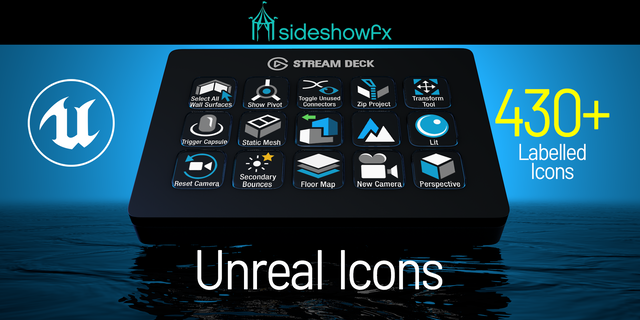
Also included: the 402-icon Unreal Engine icon pack (134 icons in 3 finishes), as a .streamDeckIconPack you can install with a double-click. Every key in this profile, available to drop on any action you like.
Try it first: press the keys of this profile in your browser, no install — https://streamdeck.adx.cool/try/unreal-engine/
Learn more about Unreal Engine: https://www.unrealengine.com
v1.0 — first release.
134 actions across Transform, Viewport, Camera, View Modes, Edit & Files, Play & Debug, Blueprint, Sequencer and Help. Every hotkey comes from Epic's own shortcut references; the Play & Debug page adds fifteen editor-console commands (stat, viewmode, HighResShot, slomo, FreezeRendering, ToggleDebugCamera) that have no keyboard binding at all. Windows and macOS profiles.
Version 1
Sep 28, 2026
Details
Type
Creative Tools
Development
Gaming
Device
Stream Deck MK
Stream Deck XL
OS
macOS
Windows
Compatibility
Stream Deck 6.4 or later
Size
10.9 MB
Version
1
Language
English
Support
Icons
Yes
Additional links
You might also like