Gaming
Valheim Stream Deck Profile + Icon Pack
by StreamSpell
Overview
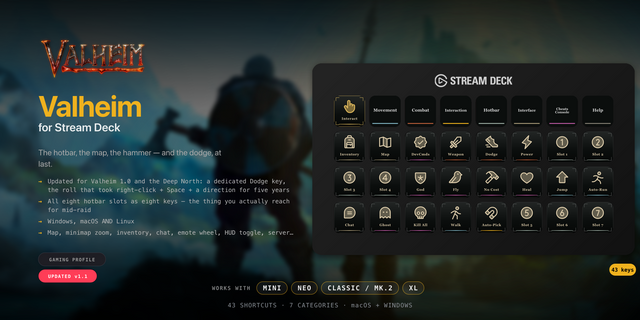
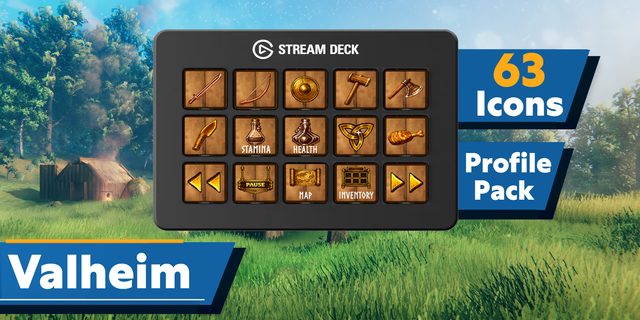
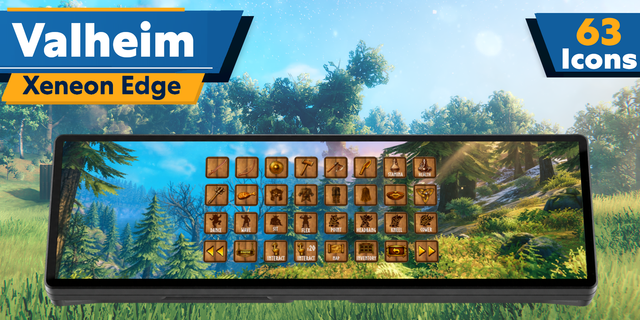
Keep 31 keyboard actions close at hand in five category folders. Weathered wood keys, forged iron borders and warm gold icons draw on Valheim’s world; each category has its own accent color.
Actions by category
Move: Move forward (W), Move left (A), Move backward (S), Move right (D), Jump (Space), Run (Left Shift), Crouch / sneak (Left Ctrl), Toggle walk (C), Auto-run (Q), Sit (X).
Combat: Hide / draw equipment (R), Forsaken power (F), Alternate dodge (B).
Gear: Inventory (Tab), Hotbar slot 1 (1), Hotbar slot 2 (2), Hotbar slot 3 (3), Hotbar slot 4 (4), Hotbar slot 5 (5), Hotbar slot 6 (6), Hotbar slot 7 (7), Hotbar slot 8 (8).
World: Use / interact (E), Toggle auto-pickup (V), Open map (M), Map zoom out (Comma), Map zoom in (Period).
Utility: Open radial wheel (G), Open chat (Enter), Scroll chat up (Page Up), Scroll chat down (Page Down).
Included: seven Windows profiles for Stream Deck Mini, Neo, MK2, +, +XL, XL and Galleon 100 SD; an installable icon pack with 2863 static PNGs; loose PNGs; and an English CSV file with key mappings.
Setup: Alternate dodge is a custom B binding. In Valheim 1.0.14 or later, assign Alternate dodge to B. Set Valheim sprint behavior to Hold for the RUN key; if your game uses Toggle sprint, change that setting. Other keys follow documented PC defaults from game version 0.221.12 or the player-reported G radial-wheel default in 1.0. Check your current controls and adjust remapped keys to match.
Attack, secondary attack, block, hammer build menu and remove still use mouse buttons. The profile does not replace those mouse actions. RADIAL opens the wheel; choose an item in the game. Hold the Stream Deck direction and run keys as needed.
Requires Valheim on Windows and Elgato Stream Deck 7.1.0 or newer for Key Logic Hold actions. The game must have keyboard focus.
Dial controls
Stream Deck +: Map zoom out/Map zoom in, Hotbar slot 1/Hotbar slot 2, system volume, Stream Deck brightness. Stream Deck +XL: Map zoom out/Map zoom in, Hotbar slot 1/Hotbar slot 2, system volume, Stream Deck brightness, Hotbar slot 3/Hotbar slot 4, Scroll chat down/Scroll chat up. Galleon 100 SD: Map zoom out/Map zoom in, Hotbar slot 1/Hotbar slot 2, system volume, Stream Deck brightness. Rotation sends a short tap for each step; press/touch are not assigned to game commands. Alternative touch strip backgrounds are included.
Not affiliated with or endorsed by the game’s creators.
Updated current-device previews and matching touch strips. Added dial controls using existing source-matched shortcuts, plus system volume/Stream Deck brightness. Existing commands and navigation retained. Alternative strip backgrounds included.
Version 1.1
Oct 22, 2026
Details
Type
Gaming
Device
GALLEON 100 SD
Stream Deck +
Stream Deck Mini
Stream Deck MK
Stream Deck Neo
Stream Deck XL
Stream Deck + XL
OS
Windows
Compatibility
Stream Deck 7.1 or later
Size
201.86 MB
Version
1.1
Support
Icons
Yes
Dial support
Yes
Additional links
You might also like